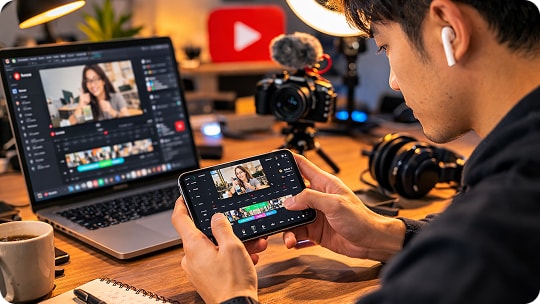
Vocal Remover for Content Creators

Remove vocals from any song to create clean instrumental background music for YouTube videos, TikTok clips, podcasts, and social media.

  • High-Quality Instrumentals
  • BGM for videos
  • No lyrics distraction
Create Background Music

Create Clean Background Music for Your Content

Turn any song into vocal-free background music for YouTube videos, podcasts, voiceovers, and short-form content.


  • YouTube Videos
  • Voiceovers
  • Podcasts
  • Short Videos

YouTube Video Background Music

Remove vocals from songs and create clean background music for your YouTube videos. Instrumental tracks help your content sound more professional while keeping the focus on your voice, storytelling, or visuals. Perfect for vlogs, tutorials, reviews, and explainer videos.

YouTube Video Background Music

Add Voiceovers to Your Videos

Remove vocals from any track so you can easily add voiceovers to your videos. This is ideal for educational content, product demos, travel videos, and storytelling videos where your voice needs to stay clear.

Add Voiceovers to Your Videos

Podcast & Talking Videos

Use instrumental versions of songs as background music for podcasts or talking-head videos. Removing vocals prevents lyrics from competing with your speech, making your audio cleaner and easier for listeners to follow.

Podcast & Talking Videos

TikTok & Short-Form Video Edits

Create instrumental versions of songs for TikTok, Instagram Reels, and YouTube Shorts. Removing vocals lets you add captions, commentary, or quick voice narration while keeping the energy and rhythm of the original music. Ideal for fast-paced edits and short-form content.

TikTok & Short-Form Video Edits

Why Content Creators Love Our Vocal Remover?

Create Clean Background Music in 3 Steps

Turn any song into vocal-free background music for videos, podcasts, shorts, or social media content.

Create Background Music

Additional Features for Content Creators

Create Background Music

Explore More Use Cases

See What Content Creators Say

star

4.9, 3.1K Ratings

Liam Parker

Liam Parker, YouTube Creator

star

Removing vocals makes it so much easier to turn songs into background music for my videos. The instrumental sounds clean and doesn't distract from my narration.

Emma Rodriguez

Emma Rodriguez, Online Course Creator

star

I often need background music for tutorials. This tool quickly removes the lyrics so I can add voiceovers without the audio getting messy.

Jason Lee

Jason Lee, Video Editor

star

Most vocal removers ruin the music, but this one keeps the instrumental clear. It works great when I need background tracks for edits and client projects.

Sophia Bennett

Sophia Bennett, Podcast Host

star

Sometimes I want subtle background music behind my podcast segments. Removing the vocals makes the track much more suitable for talking content.

Daniel Kim

Daniel Kim, TikTok Creator

star

I use the instrumentals for short-form videos all the time. It's perfect for TikTok and Reels when you need music without lyrics.

Olivia Turner

Olivia Turner, Content Strategist

star

Creating social media content is much faster now. I can quickly turn a song into clean background music for different video formats.

Marcus Johnson

Marcus Johnson, Vlog Creator

star

The workflow is simple. Upload a song, remove the vocals, and download the instrumental. It fits perfectly into my editing process.

Chloe Martin

Chloe Martin, Vlog Creator

star

I love using instrumental versions of songs in my videos. It keeps the mood of the music while letting my voice stay clear.

Liam Parker

Liam Parker, YouTube Creator

star

Removing vocals makes it so much easier to turn songs into background music for my videos. The instrumental sounds clean and doesn't distract from my narration.

Emma Rodriguez

Emma Rodriguez, Online Course Creator

star

I often need background music for tutorials. This tool quickly removes the lyrics so I can add voiceovers without the audio getting messy.

Jason Lee

Jason Lee, Video Editor

star

Most vocal removers ruin the music, but this one keeps the instrumental clear. It works great when I need background tracks for edits and client projects.

Sophia Bennett

Sophia Bennett, Podcast Host

star

Sometimes I want subtle background music behind my podcast segments. Removing the vocals makes the track much more suitable for talking content.

Daniel Kim

Daniel Kim, TikTok Creator

star

I use the instrumentals for short-form videos all the time. It's perfect for TikTok and Reels when you need music without lyrics.

Olivia Turner

Olivia Turner, Content Strategist

star

Creating social media content is much faster now. I can quickly turn a song into clean background music for different video formats.

Marcus Johnson

Marcus Johnson, Vlog Creator

star

The workflow is simple. Upload a song, remove the vocals, and download the instrumental. It fits perfectly into my editing process.

Chloe Martin

Chloe Martin, Vlog Creator

star

I love using instrumental versions of songs in my videos. It keeps the mood of the music while letting my voice stay clear.

FAQs About Vocal Remover for Content Creators

Create Clean Background Music in Seconds

Create instrumental tracks for videos, voiceovers, and social media content with our Vocal Remover, trusted by thousands of content creators.

Remove Vocals Now
toTop
 > Vocal Remover for Content Creators