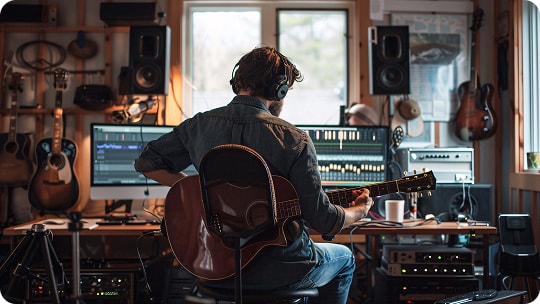
Vocal Remover for Musicians

Remove vocals from any song and create clean instrumentals for practice, remixing, sampling, or music production.

  • High-Quality Instrumentals
  • Preserve Original Key & BPM
  • Studio-Ready Sound
Create Instrumental Now

Create Instrumentals for Practice, Covers, and Remixes

Our vocal remover helps musicians transform any song into a clean instrumental. Use it to practice with backing tracks, record covers, study arrangements, or create remixes.


  • Practice Tracks
  • Cover Production
  • Arrangement Analysis
  • Remix & Sampling

Practice with Backing Tracks

Turn any song into a clean instrumental backing track for practicing guitar, bass, drums, piano, or other instruments. Remove vocals while keeping the full arrangement intact, so you can focus on timing, groove, and technique.

Practice with Backing Tracks

Record Covers & Perform

Create high-quality instrumental tracks for recording covers, music videos, or social media performances. The clean backing track helps musicians produce professional content for YouTube, TikTok, or live streaming.

Record Covers & Perform

Analyze Song Arrangements

Remove vocals to hear the instrumental layers more clearly. Musicians can listen to the drums, bass, and other instruments to better understand how the song is arranged.

Analyze Song Arrangements

Remix & Sampling

Generate clean instrumentals that are ideal for remixing, sampling, or recreating songs in your DAW. Producers and beat makers can easily use these tracks as a base for mashups, edits, or new productions.

Remix & Sampling

Why Musicians Choose Our Vocal Remover?

Create Instrumental Tracks in 3 Steps

Turn any song into a clean instrumental for instrument practice, covers, or music production.

Create Instrumental Now

More Features of Vocal Remover for Musicians

Create Instrumental Now

Explore More Use Cases

Create Clean Instrumentals. See What Musicians Say

star

4.9, 2.8K Ratings

Liam Parker

Liam Parker, Guitarist

star

The instrumental sounds surprisingly natural after removing the vocals. I use it to practice solos and timing without losing the feel of the original track.

Emma Rodriguez

Emma Rodriguez, Music Teacher

star

Preparing practice tracks for students used to take a lot of time. Now I can quickly generate clean instrumentals that help them focus on rhythm and arrangement.

Jason Lee

Jason Lee, Music Producer

star

A lot of vocal removers damage the mix, but this one keeps the drums punchy and the bass clear. It's great for testing remix ideas.

Sophia Bennett

Sophia Bennett, Pianist

star

Sometimes I just want to study how a song is arranged. Removing the vocals makes it much easier to hear the instruments and understand the structure.

Daniel Kim

Daniel Kim, Drummer

star

Timing is everything when practicing. The instrumental keeps the groove and energy of the original track, which makes practice sessions much more effective.

Olivia Turner

Olivia Turner, Band Leader

star

I often prepare backing tracks for rehearsals. This tool helps me create clean instrumentals quickly so the band can focus on playing.

Marcus Johnson

Marcus Johnson, Beat Maker

star

I like using the instrumentals as a base for sampling and mashups. The separation keeps enough detail for production work.

Chloe Martin

Chloe Martin, Bass Player

star

The workflow is simple and fast. Upload a track, remove the vocals, and I instantly have something I can jam along with.

Liam Parker

Liam Parker, Guitarist

star

The instrumental sounds surprisingly natural after removing the vocals. I use it to practice solos and timing without losing the feel of the original track.

Emma Rodriguez

Emma Rodriguez, Music Teacher

star

Preparing practice tracks for students used to take a lot of time. Now I can quickly generate clean instrumentals that help them focus on rhythm and arrangement.

Jason Lee

Jason Lee, Music Producer

star

A lot of vocal removers damage the mix, but this one keeps the drums punchy and the bass clear. It's great for testing remix ideas.

Sophia Bennett

Sophia Bennett, Pianist

star

Sometimes I just want to study how a song is arranged. Removing the vocals makes it much easier to hear the instruments and understand the structure.

Daniel Kim

Daniel Kim, Drummer

star

Timing is everything when practicing. The instrumental keeps the groove and energy of the original track, which makes practice sessions much more effective.

Olivia Turner

Olivia Turner, Band Leader

star

I often prepare backing tracks for rehearsals. This tool helps me create clean instrumentals quickly so the band can focus on playing.

Marcus Johnson

Marcus Johnson, Beat Maker

star

I like using the instrumentals as a base for sampling and mashups. The separation keeps enough detail for production work.

Chloe Martin

Chloe Martin, Bass Player

star

The workflow is simple and fast. Upload a track, remove the vocals, and I instantly have something I can jam along with.

FAQs About Vocal Remover for Musicians

Ready to Create Clean Instrumentals?

Join thousands of musicians using our Vocal Remover to practice instruments, record covers, analyze songs, and create remixes with ease.

Remove Vocals Now
toTop
 > Vocal Remover for Musicians