
EaseUS Vocal Remover Review & Alternatives 2026
Martina Lee | Updated on 2026-08-21
In this EaseUS Vocal Remover review, we take a closer look at one of the most widely used AI tools for removing vocals from songs. Whether you want to make karaoke tracks, create remix stems, or extract vocals for content creation, tools like EaseUS have become increasingly popular among music creators and casual users alike.
But how well does it actually perform in real use? In this review, we’ll cover its main features, audio quality, limitations, and how it compares with alternatives like Coolo AI for cleaner and more flexible stem separation
Content
Part 1. What Is EaseUS Vocal Remover?
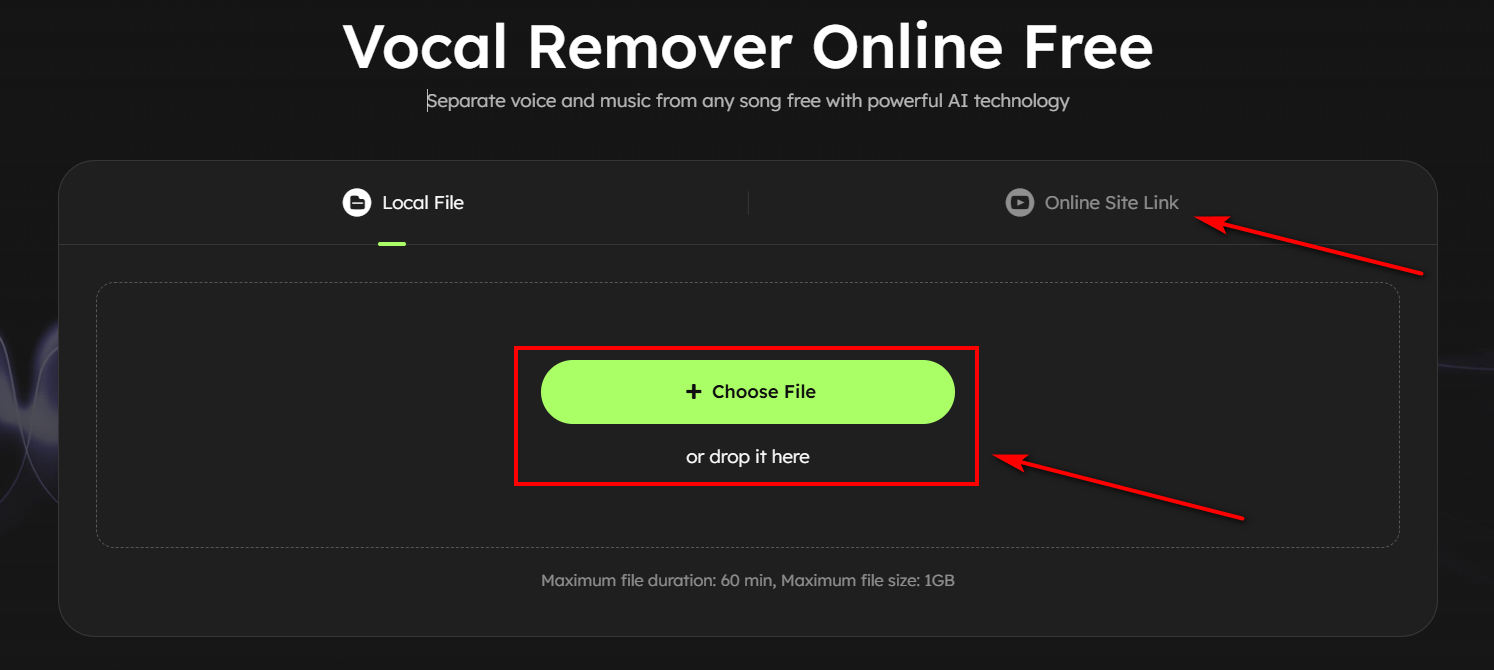
EaseUS Vocal Remover is designed to separate vocals from background music. You can upload local audio files or paste online media links to quickly remove vocals, create karaoke tracks or extract instrumentals without installing any software. It's a smart AI tool designed for fast, beginner-friendly audio processing.
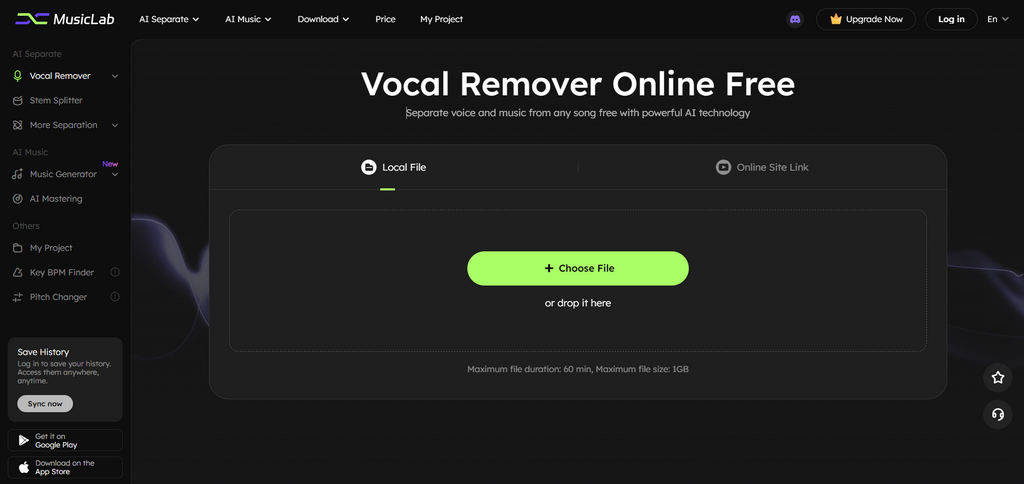
Key Features of EaseUS Vocal Remover
• AI-Powered Vocal Removal
The AI system can separate vocals from background music in seconds, making it easy to generate instrumental or acapella tracks.
• Online Access With No Installation
There's no need to download software, it's a fully browser-based tool that works on both desktop and mobile without any software installation.
• Multi-Format Support
EaseUS Vocal Remover supports common audio and video formats, including MP3, WAV, and MP4, making file uploads quick and convenient. It also allows you to paste media links directly for online vocal removal.
• Basic Instrument Separation
You can isolate simple instruments such as drums, bass, piano, and guitar for basic editing needs.
How to Use EaseUS Vocal Remover
- Click to upload your audio or video file to the EaseUS Vocal Remover platform. The tool supports common formats like MP3, WAV, and MP4, so no conversion is usually needed.
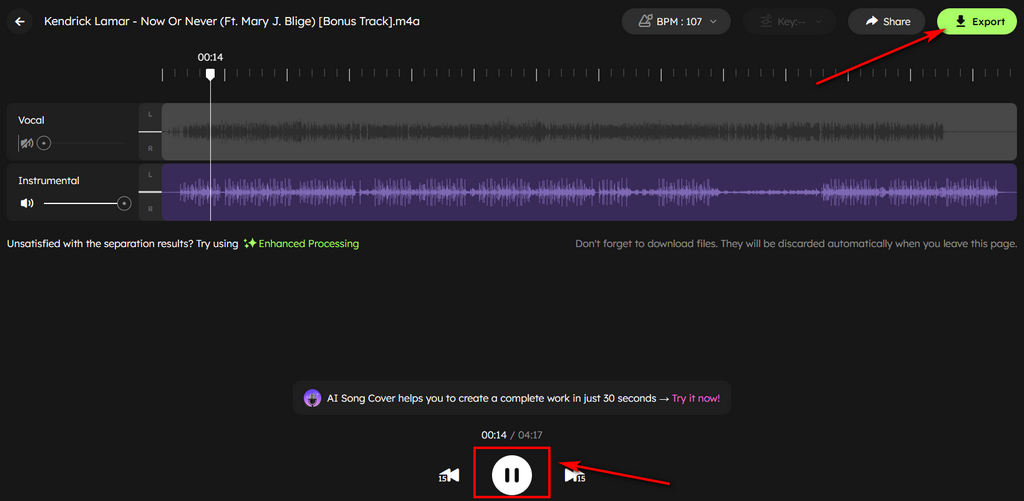
- The AI then analyzes the track and separates vocals from the instrumental within seconds or minutes. The process is fully automatic and usually completes within seconds or minutes.
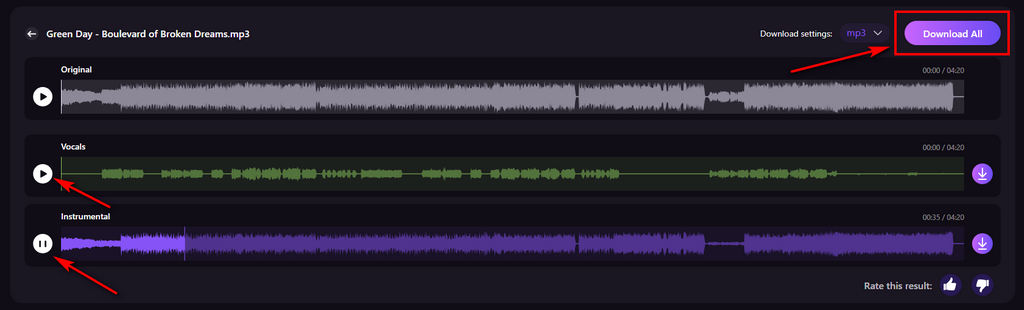
- Once finished, you can preview both tracks and export the audio you need for karaoke or remixing.
Pros
- Easy to use for beginners
- Direct audio and video processing via links
- Fast processing for basic vocal removal tasks
- Supports common audio and video formats
Cons
- No advanced stem control options
- Output quality may vary depending on audio source
- Not suitable for professional-level music production
Part 2. Best Alternative to EaseUS Vocal Remover — Coolo AI
While EaseUS Vocal Remover works well for basic tasks, many users eventually look for cleaner audio separation, higher-quality instrumental output, and more advanced AI stem control. This is where Coolo AI online vocal remover becomes a more advanced alternative for users who need higher precision and flexibility in music editing.
Coolo AI offers a powerful online vocal separation tool that provides more detailed control over audio than basic vocal removers. It allows you to isolate vocals, extract instruments, and create high-quality karaoke or remix-ready tracks directly in the browser.

Key Features of Coolo AI
• Advanced AI Stem Separation
Coolo AI uses machine learning models to separate vocals, drums, bass, piano, and other instruments with high accuracy.
• Keep Instruments Clearer
It's designed to preserve sound clarity and reduce artifacts, delivering clean instrumental and vocal tracks suitable for professional use.
• Fast Cloud-Based Processing
All audio processing is handled in the cloud, allowing you to get results quickly without installing any software.
• Online and Cross-Device Access
Coolo AI works directly in the browser and is fully compatible with desktop and mobile devices, making it flexible for use anywhere.
• Multi-Format File Support
It supports a wide range of audio formats, making it easy to upload and process songs from different sources without conversion.
• Easy-to-Use Interface
Coolo AI features a simple interface that lets both beginners and professionals split audio in just a few clicks.
How to Remove Vocals from Audio with Coolo AI?
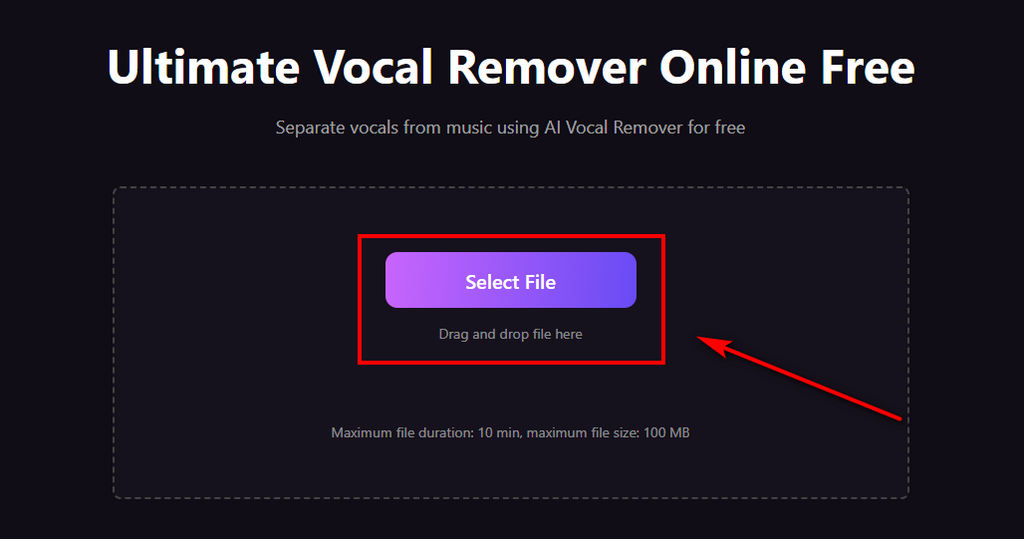
- Upload your audio file by clicking the Select File button, or simply drag and drop it into the upload area for faster access.
- Once the file is uploaded, Coolo AI will automatically process the track and separate the vocals from the instrumental using advanced AI, usually within a few seconds.
- After processing is complete, you can preview the results and download either the isolated vocal track or the instrumental version, depending on how you plan to use it.
Part 3. Clear Comparison Between EaseUS and Coolo AI
| Feature | EaseUS Vocal Remover | Coolo AI |
|---|---|---|
| Vocal Removal Quality | Good for basic tracks | Cleaner and more precise |
| AI Stem Separation | Basic separation | Advanced multi-stem separation |
| Audio Artifacts | May appear in complex songs | Minimal artifacts |
| Use Case | Casual users | Creators & professionals |
| Processing Speed | Good | Excellent |
| Best For | Karaoke & simple edits | Remixing & production |
EaseUS is better suited for basic vocal removal tasks, while Coolo AI performs better when higher separation quality and more detailed control are needed.
Part 4. Best Use Cases for AI Vocal Removers
AI vocal remover tools like EaseUS Vocal Remover and Coolo AI are widely used for various audio-related tasks, from casual entertainment to professional music editing. Below are some of the most common use cases where these tools are especially helpful.
• Remove Vocals for creating Karaoke Tracks
Remove vocals from songs to create custom karaoke versions.
• Extracting Acapella Vocals
Isolate vocals for remixing or analysis.
• Making Remix and Mashup Music
Use separated stems to create new music compositions.
• Music Practice and Learning
Isolate instruments like guitar or drums for practice.
• YouTube, Podcast, and other Content Creation
Use instrumental tracks for videos, podcasts, or background music.
Conclusion
Overall, EaseUS Vocal Remover is a solid entry-level tool for users who want a quick and simple way to remove vocals or create karaoke tracks. It is easy to use, free, and works directly in the browser.
However, its limitations become more noticeable when working with complex audio or when a higher separation quality is required.
If you want cleaner stems, better AI separation, and more professional output, Coolo AI vocal remover offers a more advanced, powerful solution for modern music creation.
Coolo AI Online Vocal Remover
vocal and instrumental isolation
FAQs
1. Is EaseUS Vocal Remover free to use?
EaseUS does offer a free online version for simple vocal removal. However, some features and larger processing limits are only available through paid plans or credits.
2. How to remove vocals from audio with EaseUS Vocal Remover?
Step 1. Upload your audio or video file with one click.
Step 2. Wait while the AI analyzes and separates the vocals from the instrumental.
Step 3. Once the process is complete, preview the results and download the separated tracks to your device.
4. What is the best alternative to EaseUS Vocal Remover?
Coolo AI vocal remover is a good alternative if you want cleaner vocals and more natural-sounding instrumentals. Besides vocal removal, it also lets you adjust pitch and key settings, which can be helpful for karaoke, remixing, or music practice..
5. Does EaseUS completely remove vocals?
It works well for many songs, but in tracks with heavy mixing or background harmonies, you may still hear faint vocals in the instrumental version.