
Online Instrumental Generators (2 Effective Ways)
Martina Lee | Updated on 2026-08-17
An instrumental generator has become an essential tool for modern music creators. Some tools remove vocals from existing songs, while others generate AI music — each designed for different creative needs.
Because both can produce instrumental tracks, creators often confuse vocal removers with AI music generators. However, they work in fundamentally different ways: vocal removers extract instrumentals from completed songs, while AI generators create entirely new music based on prompts or styles.
In this guide, we introduce the concept of instrumental generators and recommend four AI music tools to help you choose the right option for your creative workflow.
Part 1. AI Instrumental Generators: Basics & Workflow
What Is an AI Instrumental Generator?
An AI instrumental generator is a tool that helps users obtain instrumental music with the assistance of artificial intelligence. Depending on the technology used, this can mean:
1. Extracting vocals from existing music.
2. Separating individual instruments (drums, bass, guitar, etc.) for remixing or practice.
3. Generating new instrumental music based on prompts, styles, or genres.
Although these tools work differently, they all serve the same core purpose: giving users access to instrumental audio without manual music production skills.
Coolo AI Online Vocal Remover
100% vocal and instrumental isolation
How Do Instrumental Generators Work?
AI instrumental generators typically rely on one of two underlying technologies:
1. Source separation models
These models analyze an audio file and separate it into different components — vocals, backing vocals, drums, bass, and other instruments. Vocal removers and stem splitters fall into this category.
2. Generative music models
These systems generate entirely new music based on patterns learned from large datasets. AI beat makers like Somio AI belong to this group.
Because of this distinction, the term instrumental generator can describe tools that extract instrumentals as well as tools that generate AI music.
Part 2. Separate Instrumental from Original Songs
Coolo AI Vocal Remover
Coolo AI vocal remover is a core feature of an AI-powered audio processing platform for you to extract instrumental directly. Once you have the backing track, you can easily use it for karaoke, editing, or incorporating it into your materials. This online tool also features music stem separation, allowing you to further split tracks into individual audio parts like bass, drums, piano, and more. Here you’ll get all the instrumental you need.
All audio processing is handled directly in the browser, ensuring a secure, space-saving workflow without software installation.
Coolo AI is especially suitable for users who want flexible control over vocal layers beyond simple instrumental extraction.
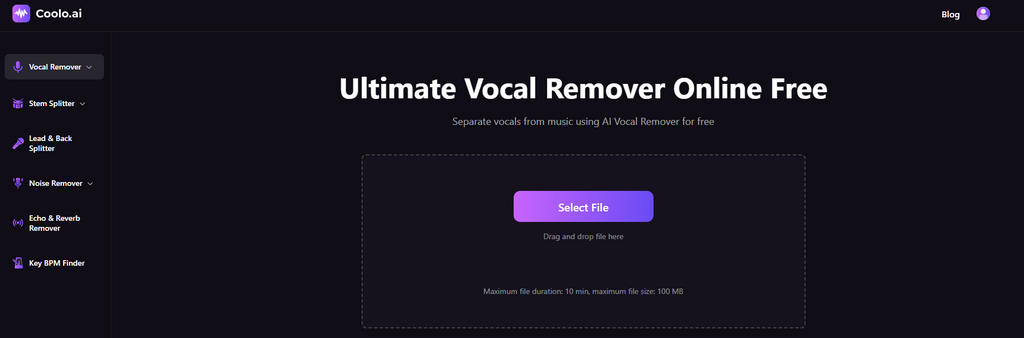
How to make a song instrumental using Coolo AI?
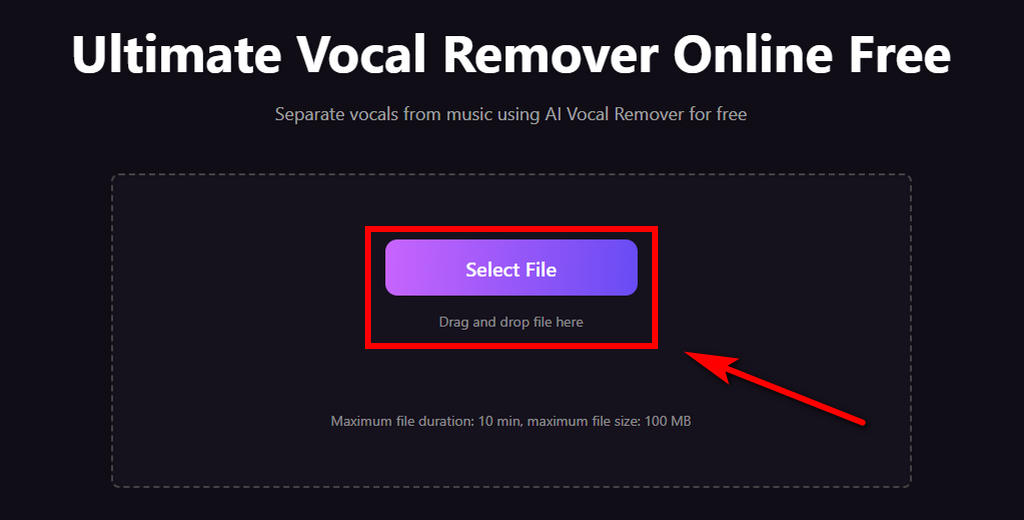
- Choose the desired music and upload it to the vocal remover. No file format conversion is required in advance. This intuitive tool supports multiple audio formats including MP3, M4A, WAV and more.
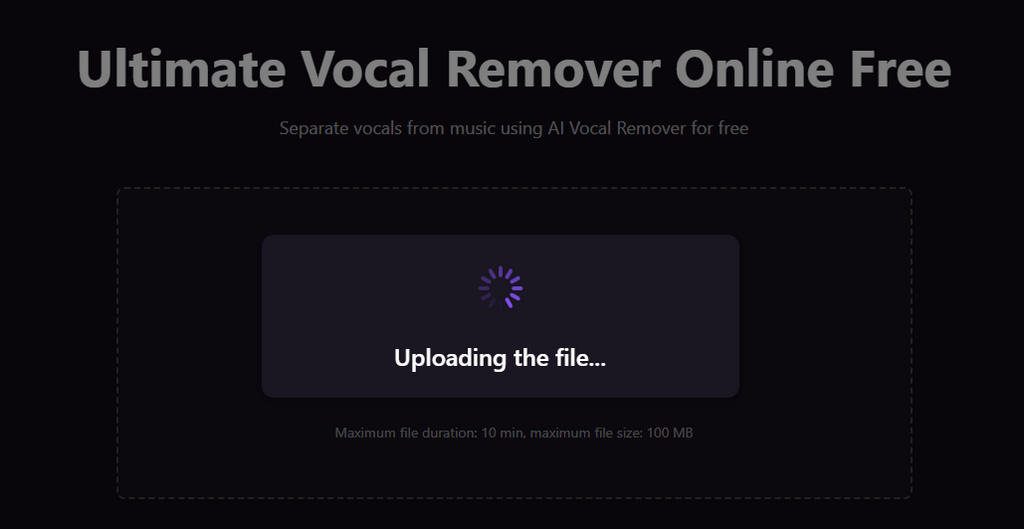
- The online AI vocal remover will analyze your audio within seconds.
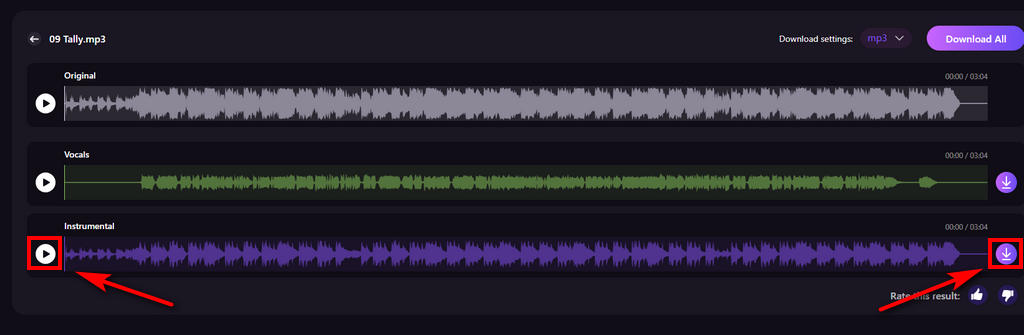
- Preview the isolated instrumental and click the Download button to save it to your device. You can also split it into more detailed individual stems using the Coolo AI stem splitter.
Pros
- High-quality instrumental extraction
- Fast voice isolation
- Compatible with DAWs
- AI-powered music processing
- Offers multi-stem splitting options
- Fully web-based, no installation needed
- Supports all audio formats
Cons
- Minor artifacts may appear in complex mixes
VocalRemover.org
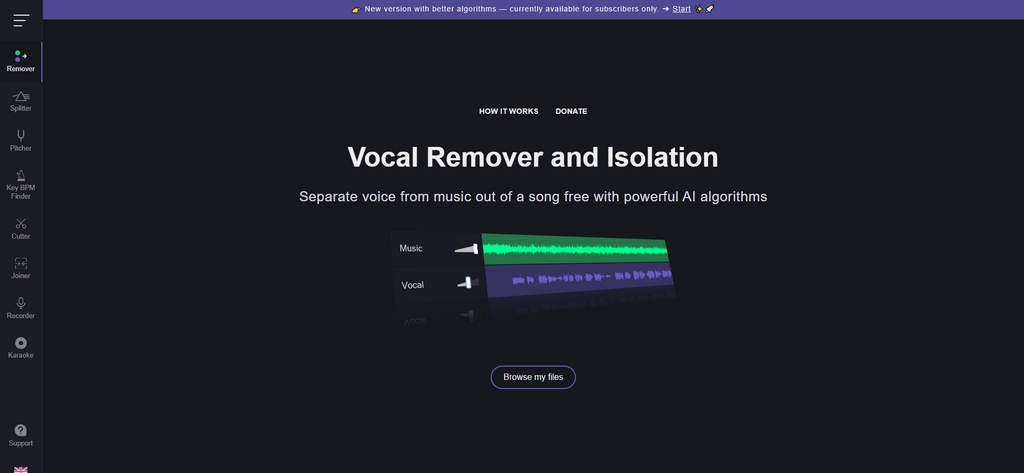
VocalRemover.org is a web-based AI tool designed for quick and straightforward vocal and instrumental splitter. It features a clean, beginner-friendly interface that requires no technical setup, making it easy to use for both casual users and experienced creators. With default settings enabled, you can simply upload an audio file and let the AI handle the audio separation automatically.
Pros
- Simple operation steps
- Clean interface
- AI-powered audio analysis
- No registration required
- Supports more audio adjustment features
Cons
- Longer wait times during peak hours
- Limited accuracy for complex songs
Part 3. Creating Original Tracks with AI Instrumental Makers
Somio AI Instrumental Generator
Somio AI instrumental generator allows you to create original instrumental tracks directly from text prompts or keywords. It supports both instrumental-only tracks and full song generation, making it well suited for background music, videos, games, and other creative projects that require unique audio without complex production workflows.
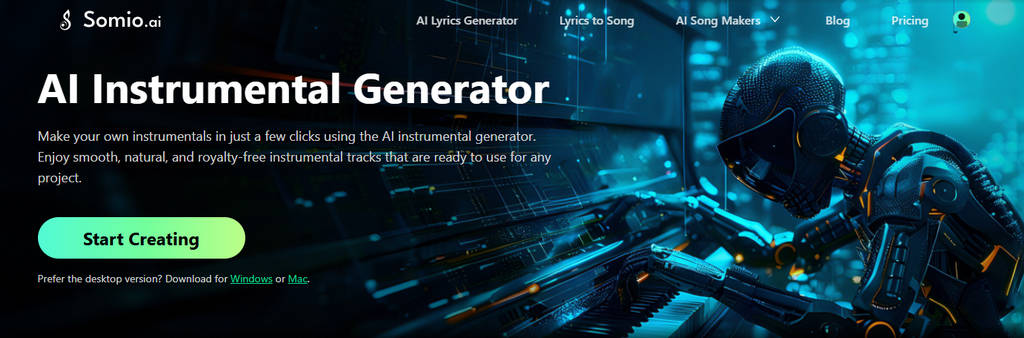
Moreover, it features an AI-powered prompt optimization system that automatically refines user input into music-ready instructions, ensuring the generated tracks align more accurately with your original intent.
Let’s take a 'yogurt jingle' as an example to show you how to make instrumental music with Somio:
- Briefly type your request “An advertising song created for yogurt” into the dialog box, then select the mood, genre, and choose the "Instrumental" option to generate music without vocals.
- The AI instrumental maker will refine your request. Confirm in the dialog when the AI’s output matches your expectations, then the automatic song generation will begin.
- Play the generated AI tracks, and save the 2-4 finished songs to your device for use.
Pros
- Generates instruments quickly with AI
- Easy for beginners
- Produces clear, well-balanced audio quality
- Allows multi-customization
- Offers free AI music generation
- Music can be used for commercial projects
Cons
- Less effective with highly niche or complex music genres
Suno
Suno AI music maker creates instrumental music from short text prompts. You can simply describe a concept, style, or mood, and the system generates a full track automatically. It is primarily aimed at hobbyists, social media creators, and musicians who want to quickly sketch musical ideas without needing production experience.

Pros
- Generates instrumental from simple text prompts
- Extremely easy to use with fast output
- Automatically structures songs with verses and choruses
- AI vocals included by default
- Suitable for idea sketching and casual creation
Cons
- AI vocals may sound unnatural
- Paid plans required for extended use
Part 4. When to Use a Vocal Remover vs an Instrumental Generator
From the above, you can see that the AI vocal remover and song creator each have distinct advantages and areas of expertise, offering convenient, practical resources for your music creation. The table below shows which tool is ideal for different use cases.
| Scenario | Recommended Approach |
|---|---|
| Extracting instrumental from a specific song | Vocal remover |
| Need original music with no copyright concerns | Instrumental generator |
| Practicing vocals or harmonies | Vocal remover |
| Creating music for videos or games | Instrumental generator |
| Collecting music materials for remixes | Both |
| Want creative inspiration from scratch | Instrumental generator |
Conclusion
Instrumental generators serve different creative purposes depending on how they are used. Vocal isolators focus on extracting instrumentals from existing songs, making them useful for practice, karaoke, remixing, and quick backing tracks. AI music creators, in contrast, create original instrumentals from scratch, offering greater flexibility for new ideas and content creation.
In practice, many creators use both approaches together — generating new music with AI and refining or separating audio with AI vocal removal tools. Understanding the strengths of each option helps you choose the right tool and build a more efficient music workflow.
Coolo AI Online Vocal Remover
100% vocal and instrumental isolation
FAQs
1. What are AI instrumental makers?
AI instrumental makers is a music tools that generate or extract backing tracks from scratch or existing songs, ideal for karaoke, remixes and content creation.
2. Can AI make instrumental music?
Absolutely! You can create custom instrumentals with the AI-powered Somio instrumental generator. Its built-in AI analyzes your needs and quickly produces the exact tracks you want.
3. How to make a song instrumental on Suno?
Step 1. Visit the Suno website, enter your song description in the text box, select basic options like mood and lyrics, then click Create.
Step 2. Wait for the AI tool to generate your song.
Step 3. Preview the two versions produced by Suno and export your preferred one as an MP3.
4. Can I get specific instrument tracks from my favorite songs?
Of course. Powered by advanced AI, the Coolo AI stem splitter makes it simple to separate instrumentals into bass, drums, guitar, piano, and other individual tracks. You can download the separated stems and remix or edit them into your content.
5. How to make a song instrumental online?
Step 1: Upload your audio file (MP3, WAV, M4A, etc.) on the voice isolator.
Step 2: Let the AI analyze and isolate clean instrumental automatically.
Step 3: Preview the result and download the instrumental track.
6. Can I use an instrumental generator for free?
Yes. You can remove vocals and generate clean instrumentals for free with Coolo AI. It's a cost-free and straightforward way to make instrumentals online without installation or sign-up.
7. Is music created or extracted with an instrumental generator copyright-safe?
It depends on the tool and the source. Extracting instrumentals from copyrighted songs may have usage limits, while AI-generated instrumentals are often royalty-free and suitable for commercial use. Always check the license terms.