
7 Best AI Instrumental Makers (Easy & Creative)
Martina Lee | Updated on 2026-08-16
Removing vocals from a song is a crucial step for musicians, content creators, and remix artists looking to create karaoke tracks, practice vocals, or enhance their music projects. AI-powered instrumental makers have revolutionized this process, offering an efficient and high-quality solution for voice isolation.
The advanced algorithms separate vocals from music, enabling you to enjoy or edit clean instrumentals effortlessly. You no longer need professional-grade equipment or studio expertise to achieve professional-sounding results.
While many vocal removers are available, the right tool can depend on your needs, whether it’s ease of use, customization, or flexibility. In this guide, we’ll explore four AI instrumental makers for vocal removal and three AI music generators for more creative instrumental creation, helping you choose the best option for your music production needs.
Part 1. 4 Best AI Instrumental Makers to Remove Vocals
Coolo AI Instrumental Maker
Coolo AI instrumental maker is an all-in-one online tool designed for everyone. With advanced AI, it accurately removes vocals while preserving instrumental details, making it ideal for remixing, editing, producing music, or creating karaoke tracks. This easy-to-use tool ensures high-quality audio at every step.
In addition, Coolo offers powerful features to separate music stems, detect key and BPM, and isolate lead and backing vocals, giving you even more flexibility in your music production.

How to extract instrumental from song with Coolo AI?
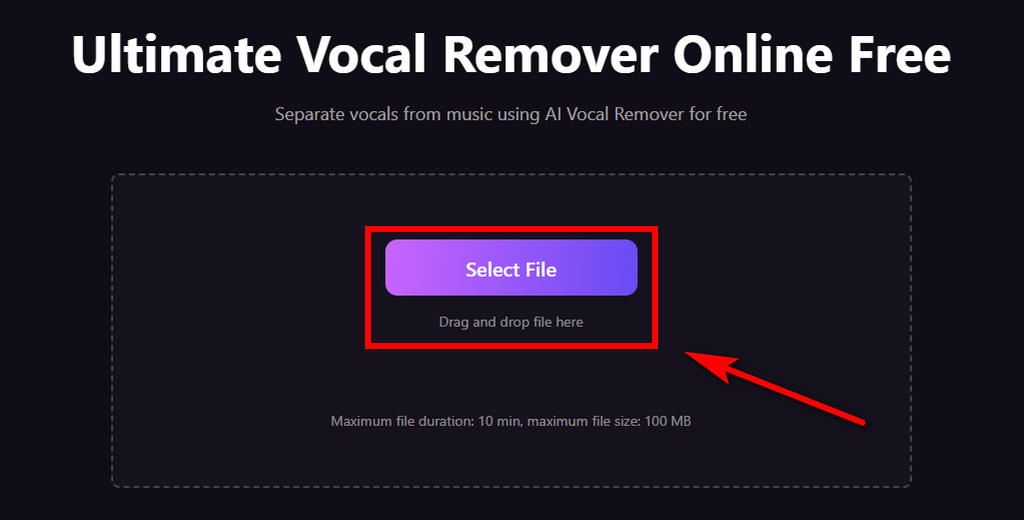
- Click the Select File button to upload your audio. You can also drag and drop files from your folder. It supports MP3, WAV, M4A, and other audio formats.
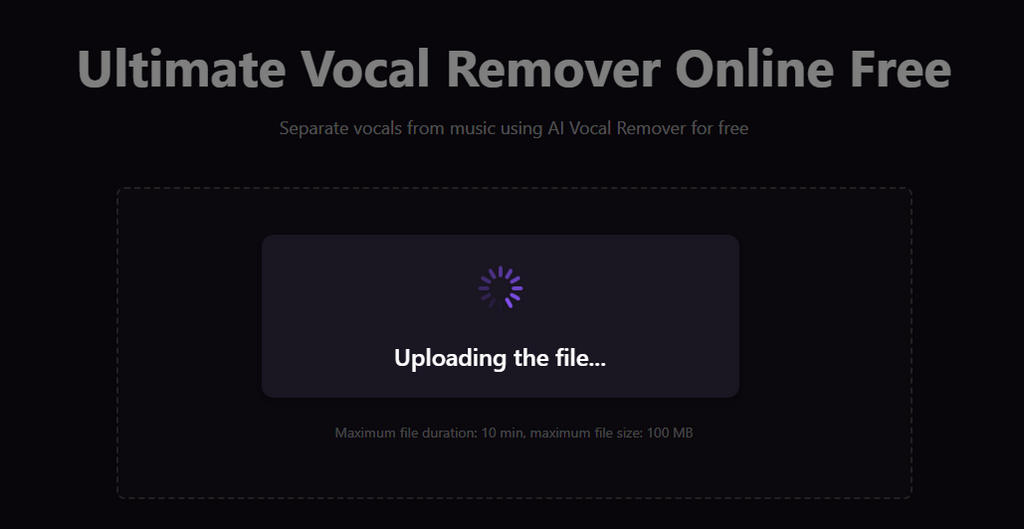
- The AI instrumental maker will automatically analyze your audio.
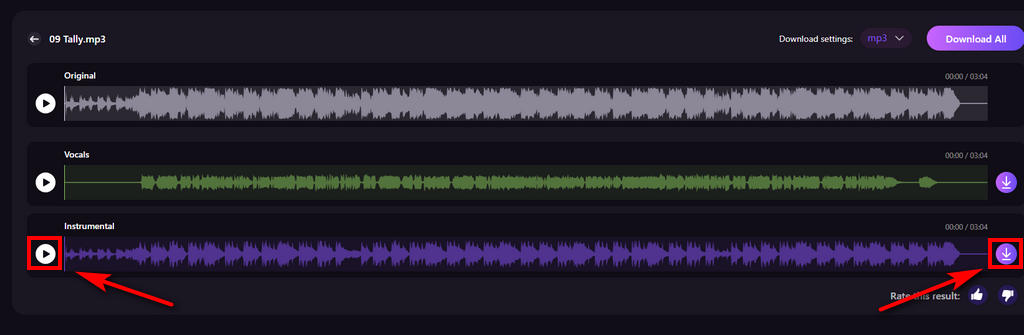
- Preview the isolated instrumental and vocals. Once you’re satisfied, click the Download button to save them to your device.
Pros
- High-quality vocal removal
- Blazing-fast processing speed
- AI-powered voice isolation
- Universal format support (MP3, WAV, M4A, etc.)
- Intuitive, user-friendly interface
- Works online with no software installation
- Free to remove vocals from music
Cons
- Doesn’t process video files directly
LANDR
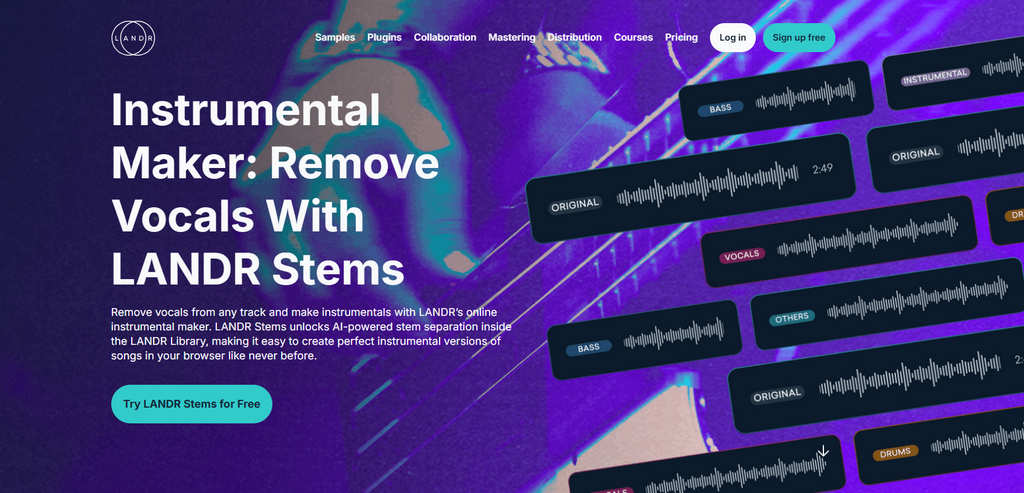
LANDR is an AI-driven music production tool with many features, including an online instrumental maker. It stands out for its ability to store audio libraries, making it ideal for users managing multiple music projects. It typically integrates with DAWs like Ableton Live, Logic Pro, or FL Studio, but requires a subscription for access to the full range of features.
Pros
- Customizable output for vocal removal
- Fast processing speed
- Cloud-based audio storage
- Supports common audio formats
Cons
- Less beginner-friendly
- Some features are locked behind a paywall
POP POP AI
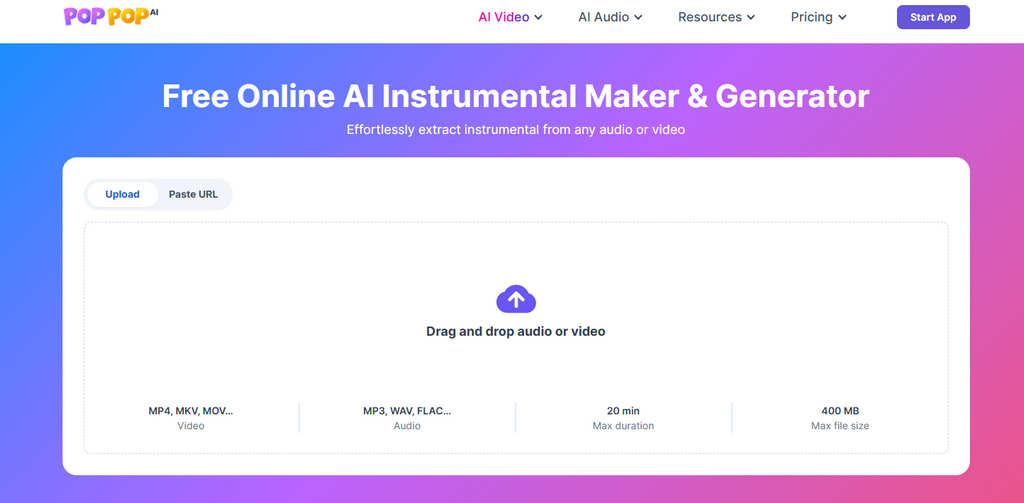
POP POP AI is an intuitive online tool designed for casual users and beginners who want to remove vocals from audio and create instrumental music. It provides real-time processing, allowing you to preview results before finalizing them. It’s simple to use and doesn’t require any technical expertise, making it perfect for quick vocal removal tasks.
Pros
- Supports both audio and video formats
- Easy to use with no technical skills required
- Real-time processing for quick feedback
- AI-powered voice isolation
Cons
- Requires more time for large files
- No advanced customization options
AudioCleaner
AudioCleaner offers a powerful platform for removing vocals and enhancing audio across various music genres. You can easily isolate instruments from audio and video, all within a cloud-based interface, ensuring accessibility without the need for software installation. With high-level customization options, it gives users more control over the audio separation process.

Pros
- Easy voice isolation
- Wide format support
- No installation required
- Advanced settings for precise control
Cons
- Free version offers limited features
- Struggles with complex audio tracks
Comparison Table to Help You Choose the Right AI Instrumental Makers
| Feature | Coolo AI | LANDR | POP POP | AudioCleaner |
|---|---|---|---|---|
| Instrumental Quality | Excellent | Excellent | Excellent | Good |
| User Convenience | Excellent | Basic | Excellent | Excellent |
| Multiple Sample Rate Options | Excellent | / | / | / |
| Customization Options | Excellent | Excellent | Limited | Basic |
| Stem Separation (Drums, Piano, etc.) | Excellent | Excellent | Limited | Excellent |
| Processing Speed | Fast | Basic | Fast | Basic |
| Audio Quality Preservation | Excellent | Good | Basic | Good |
| Format Compatibility | Excellent | Excellent | Excellent | Excellent |
Part 2. 3 AI Instrumental Song Makers for More Creative Music
Somio AI
Somio AI music generator allows you to generate full-length songs and high-quality music tracks from simple text prompts or lyrics. It supports style, mood, and genre customization, making it easy to generate music for videos, games, and creative projects. With fast generation speeds and support for commercial use, Somio is well-suited for creators who need unique, royalty-free music without complex workflows.
To enhance results even further, Somio also features a built-in AI system that intelligently optimizes your input prompts, rewriting them into music-friendly instructions so the generated tracks better match your creative intent.

Pros
- Fast AI music generation
- Beginner-friendly interface
- High-quality music results
- Supports genre, mood, and style customization
- Generates full songs for free
- Suitable for commercial use
Cons
- It may struggle with niche or complex genres
Suno
Suno is designed to turn text prompts into original songs and instrumentals. You can describe the style, mood, or theme, and produce music easily. It is ideal for experimenting with musical ideas, creating background music, or generating inspiration for new compositions.

Pros
- Text-to-music generation
- Supports multiple music styles
- Can generate full songs and instrumental tracks
- Easy to use for beginners
Cons
- Advanced features require a paid plan
- Output quality may vary depending on prompts
Udio
Udio allows you to quickly create instrumental segments or complete music pieces by specifying mood, genre, and creative direction. It also comes with a built-in audio editor, allowing you to make simple edits and creative adjustments directly after generating the music.

Pros
- Excellent AI-generated music output
- Supports creative text prompts and style variation
- Generates music from lyrics online
- Suitable for instrumental and song creation
Cons
- Track length and export options may be limited
- Requires a certain level of skill
Part 3. Detailed Instrumental Stem Separation for Creative Projects
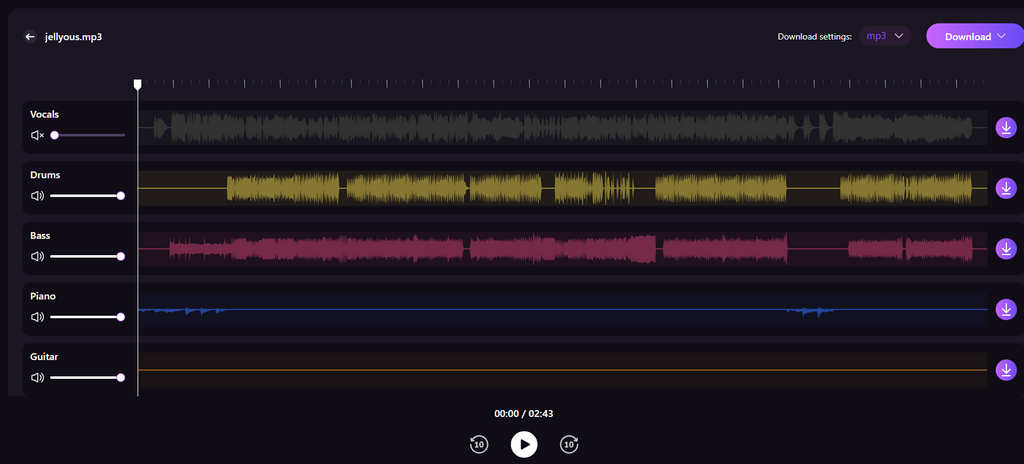
Different users have different needs when working with instrumentals. DJs may want to extract a standalone bass track for remixing or live mixing, while music learners often isolate vocals to practice singing along more accurately. Instrument learners, on the other hand, benefit from separating specific instrument tracks to focus on technique and arrangement details.
To support these advanced use cases, Coolo goes beyond basic vocal removal. With its free stem splitter, you can further separate an instrumental into more detailed tracks — including piano, guitar, drums, and bass — giving you greater flexibility and more creative options for learning, remixing, and music production.
Conclusion
There are several main types of instrumental song makers, each suited to different use cases and levels of experience. Vocal removers are ideal for creating samples or karaoke tracks, while music generators are better suited for creating entirely new music. Each tool in this guide offers different advantages, from beginner-friendly workflows to professional-grade customization.
Among them, Coolo AI stands out with its all-in-one approach, combining high-quality vocal removal with advanced features like stem splitting and key & BPM detection. If you’re looking for a flexible and powerful instrumental maker that grows with your needs, Coolo is a strong choice.
Coolo AI Online Vocal Remover
100% vocal and instrumental isolation
FAQs
1. Who benefits from an instrumental music maker?
An AI instrumental music maker is useful for musicians, singers, DJs, music learners, and content creators. It helps create clean backing tracks for practice, remixing, learning instruments, live mixing, and producing background music for videos or creative projects.
2. What's the best AI instrumental maker?
Coolo AI has one of the best instrumental makers. It provides a straightforward way to remove vocals online on any device. You can enjoy the free, fast, and easy voice isolation for the instrumental you want.
3. How to remove vocals from a song online?
Step 1. Upload your audio file (MP3, WAV, M4A, etc.).
Step 2. Let the AI analyze and remove vocals from the track automatically.
Step 3. Preview the result and download the instrumental or vocals.
4. Can I isolate instrumental from vocals for free?
Yes. The Coolo AI vocal remover helps you isolate instrumentals from vocals for free. No installation or sign-up is required, giving you a convenient way to create instrumentals from your favorite music.
5. How do I remove vocals to get a clean instrumental?
You can remove vocals for free online with the Coolo AI instrumental maker. With just three easy steps, you can get a clean, high-quality instrumental track for creating videos, podcasts, performances, and more.-+65
6. Can I extract specific instruments like bass, guitar, or drums?
Of course. The Coolo AI stem separator can isolate specific instruments from music, allowing you to extract bass, piano, guitar, and drum tracks separately.