
OpenMusic AI Review: Vocal Remover & Stem Splitter
Martina Lee | Updated on 2026-08-21
In this OpenMusic AI review, we take a closer look at the platform’s AI music tools, vocal remover, and stem splitter features. While OpenMusic AI is mainly known for AI-generated music, many users also use it for karaoke creation, remix editing, and vocal isolation.
To better understand how the platform performs in real-world use, we tested its separation tools and compared the experience with dedicated audio processing platforms like Coolo AI .
Part 1. What Is OpenMusic AI?
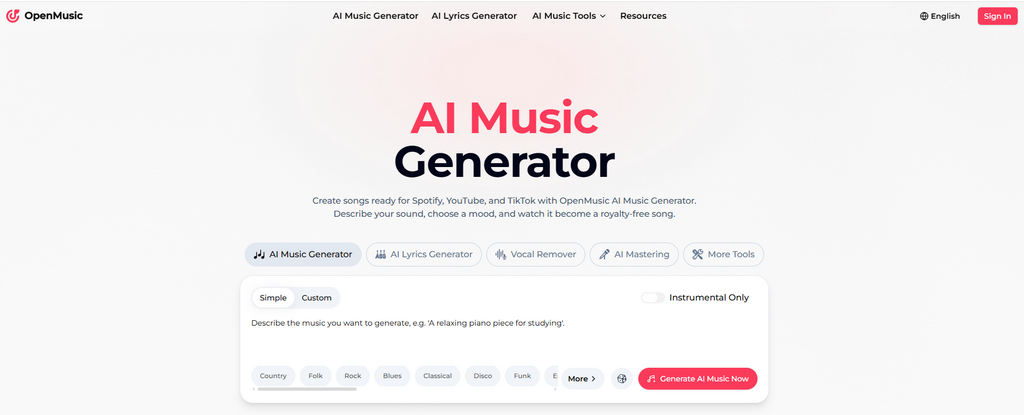
OpenMusic AI is an online AI music platform that combines music generation, vocal processing, and audio editing tools into one workflow. In addition to AI-generated songs and AI singing features, the platform also includes a vocal remover, stem splitter, and basic mastering tools.
Because everything runs online, users can upload audio, process tracks, and export files directly in the browser without installing additional software.
Key Features of OpenMusic AI
OpenMusic AI combines AI music creation and audio editing tools, making it suitable for users who want an all-in-one music-creation workflow.
• AI Music Generator
It's easy to create songs using prompts, genres, moods, and tempo settings.
• AI Singing Tools
For generating AI vocals and experimenting with vocal-based music creation.
• Vocal Remover
Separate vocals from instrumentals for karaoke tracks and simple remixing.
• Stem Splitter
Extract drums, bass, vocals, and other layers for editing workflows.
• Online Mastering Tools
It also applies quick mastering, and exports tracks directly online.
Because the platform combines multiple creative features in one place, it works best for creators interested in AI-assisted music production and experimentation.
How to Use OpenMusic AI for Vocal Removal?
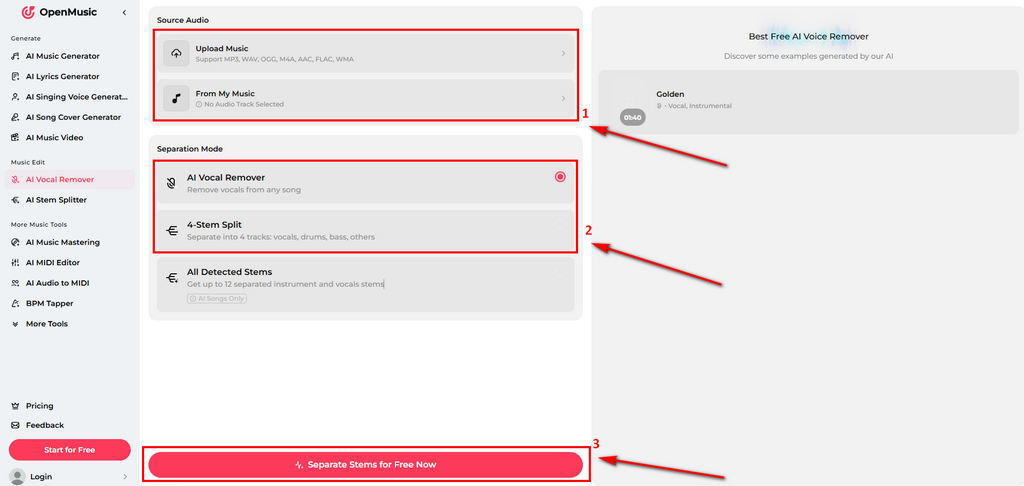
- You can upload an audio file from your device. If you’ve created music with OpenMusic AI, you can also import tracks directly from your music library. Then, click the button to start analyzing the audio.
- Wait a few moments while the AI processes the track and separates the vocals from the instrumental.
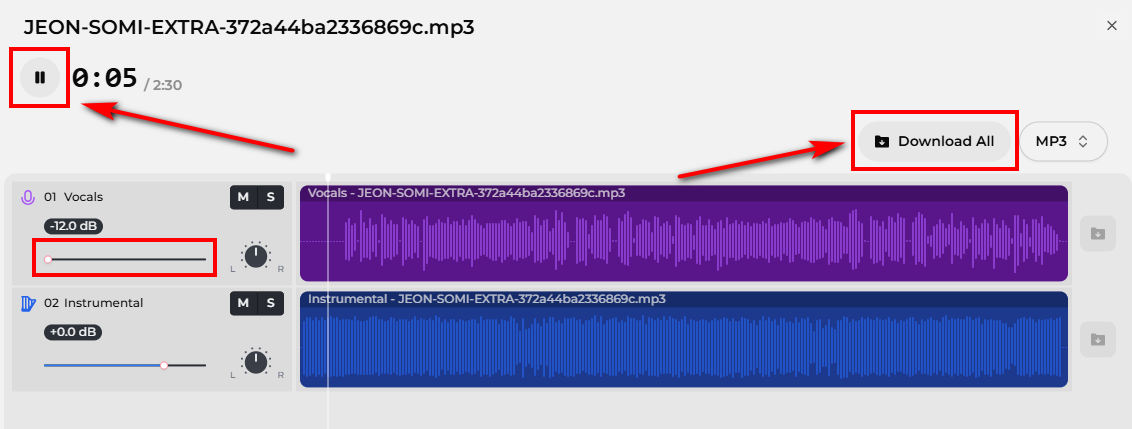
- Preview the separated audio tracks. To download the processed files to your device, you may need a paid subscription plan.
Our Experience Using OpenMusic AI
When using OpenMusic AI, we found it's more convenient for users who want multiple music tools in one platform. Its AI music generation, vocal remover, and mastering features create a simple all-in-one workflow for beginners.
However, if your workflow focuses mainly on vocal removal or remix preparation, the platform may feel less practical. Since the subscription includes broader AI music creation features, some users may prefer a more cost-effective workflow focused specifically on audio separation.
Its stem-splitting options are also relatively limited for detailed separation tasks. Some dedicated audio separation tools can also isolate additional instruments, such as bass, guitar, piano, and drums, making them more useful for DJs, remixers, and producers.
Part 2. A Simpler Alternative for Vocal Removal — Coolo AI
Coolo AI is designed specifically for vocal removal, stem splitting, and audio cleanup. Rather than combining music generation tools into the workflow, it focuses on helping users process existing audio quickly and efficiently. This makes it especially useful for karaoke creation, remix editing, content creation, and podcast cleanup.
Key Features of Coolo AI
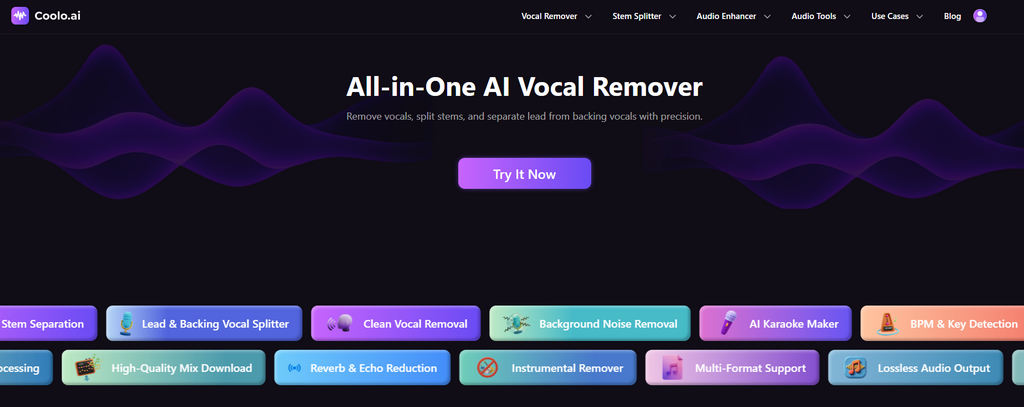
Coolo is built around AI-powered audio separation and cleanup workflows, making it more practical for working with existing songs and recordings.
• AI Vocal Remover
Remove vocals from audio with fast AI processing. Coolo AI also supports lead and backing vocal separation, making it useful for karaoke creation, remix editing, and cleaner instrumental tracks.
• Stem Splitter
Isolate vocals, drums, bass, piano, guitar, and other instruments for remix preparation and DJ edits.
• Noise Remover
Reduce background noise and improve vocal clarity for podcasts, videos, and spoken audio.
• Pitch Changer
Adjust vocal or instrumental pitch for practice sessions, remix editing, and creative audio effects.
• Audio to MIDI
Convert melodies and instrument sounds into editable MIDI files for music production and arrangement workflows.
Because the workflow is optimized around separation tasks rather than music generation, Coolo feels more streamlined for karaoke creation, remix editing, and audio cleanup.
Coolo AI Online Vocal Remover
vocal and instrumental isolation
How to Remove Vocals from Audio with Coolo AI
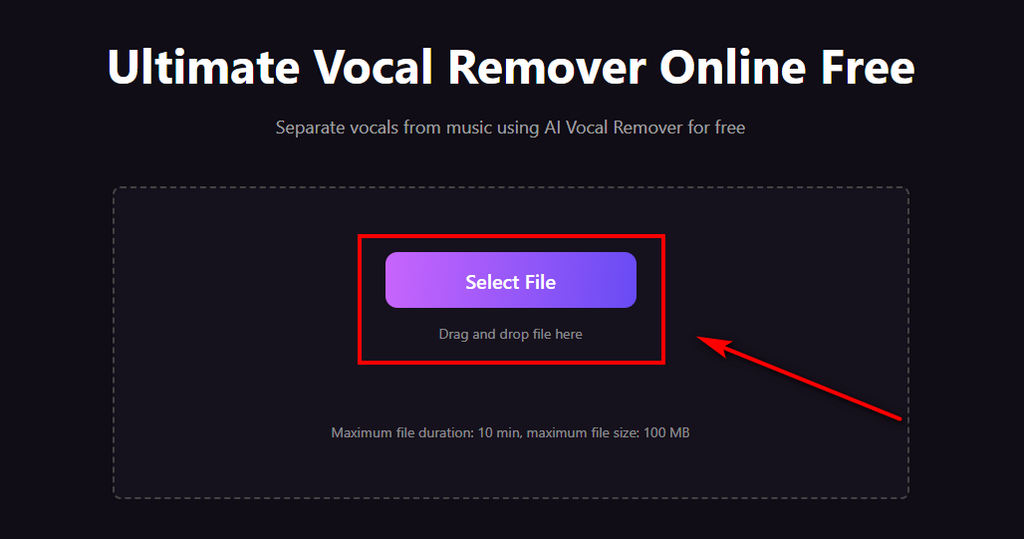
- Visit the Coolo AI vocal remover, click the Select File button to upload your audio.
- The AI will automatically analyze your audio and remove vocals within minutes
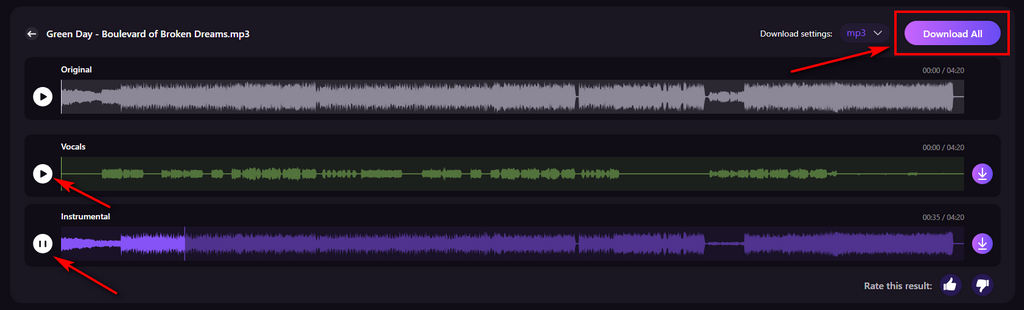
- Once complete, you can preview the results and download either the isolated vocal track or the instrumental version, depending on how you plan to use it.
Part 3. When Should You Choose OpenMusic AI or Coolo AI?
OpenMusic AI Works Best for Creative Music Workflows
OpenMusic AI is a better fit for users who want more than just vocal removal. Since the platform combines AI music generation, AI singing tools, stem splitting, and mastering features in one place, it works well for creators experimenting with songwriting, demos, and AI-assisted music production.
For users interested in generating new music ideas and editing tracks inside the same workflow, the platform offers an all-in-one experience.
However, users who primarily need vocal isolation or karaoke workflows may not fully benefit from the platform’s broader AI music-creation features. Depending on the subscription structure, paying for additional music-generation tools may feel unnecessary if your workflow focuses primarily on audio separation.
Coolo AI Works Best for Audio Separation Tasks
Coolo AI is better suited to users whose workflow focuses primarily on vocal isolation and audio cleanup rather than music generation.
Because the platform is designed specifically around vocal removal, stem splitting, and noise reduction, the workflow feels more streamlined for karaoke creation, remix editing, DJ preparation, podcast cleanup, and short-form content production.
For creators working primarily with existing songs and recordings, the simpler separation-focused workflow can often feel faster and more practical.
Conclusion
Overall, this OpenMusic AI review shows that the platform offers a convenient all-in-one workflow for AI music creation, vocal removal, and basic stem separation. Its browser-based tools make it accessible for beginners who want to experiment with AI-generated music and simple audio editing workflows.
However, users focused mainly on karaoke creation, vocal isolation, remix preparation, or audio cleanup may prefer a more streamlined workflow designed specifically for audio separation.
For those users, dedicated tools like Coolo AI vocal remover can feel simpler, more practical, and more cost-effective for everyday vocal removal and stem-splitting workflows.
Coolo AI Online Vocal Remover
vocal and instrumental isolation
FAQs
1. Can I use OpenMusic AI for free?
OpenMusic AI offers limited free access, but users need to create an account before using its features. You can preview separated vocals and instrumentals for free, while downloading the processed audio files usually requires a paid plan.
2. How to remove vocals from audio with OpenMusic AI?
Step 1. Upload an audio file from your device or the OpenMusic AI library.
Step 2. Let the AI analyze the track and separate the vocals from the instrumental.
Step 3. Preview the results and download the processed audio files with a paid plan.
3. Can I use OpenMusic AI music commercially?
Yes. OpenMusic AI states that its generated music can be used for commercial purposes, including videos, social media content, and other creative projects.
4. What's the best alternative to OpenMusic AI for audio separation?
If your main goal is vocal removal or stem separation, Coolo AI can feel more practical for everyday audio workflows. It focuses more on audio processing and supports additional stems like bass, guitar, piano, and drums for remixing and production work.
It also starts at a slightly lower monthly price than OpenMusic AI, which may be a better fit if you mainly need audio separation tools rather than full AI music generation features.