
PhonicMind Review: Features, Pricing & Comparison
Martina Lee | Updated on 2026-08-18
Online vocal removal tools like PhonicMind have become a popular solution for creators who want quick results without installing complex software. Whether it’s making karaoke tracks, isolating vocals, or experimenting with stem separation, web-based platforms now make these tasks much more accessible.
This review explores PhonicMind’s features, pricing, and usability, while also looking at newer AI alternatives like Coolo AI that emphasize faster processing and improved multi-stem separation.
Part 1. Overview of PhonicMind
What is PhonicMind?
PhonicMind is an online AI vocal remover that allows you to separate songs into vocals and instrumental parts directly in your browser. It’s designed to help you create karaoke tracks and basic stems quickly without installing software, making it a convenient choice for beginners and casual creators.
One of its most distinctive features is its built-in accompaniment library, which contains hundreds of thousands of pre-made karaoke tracks across different genres and eras. You can search for songs directly on the platform or upload your audio files for processing.
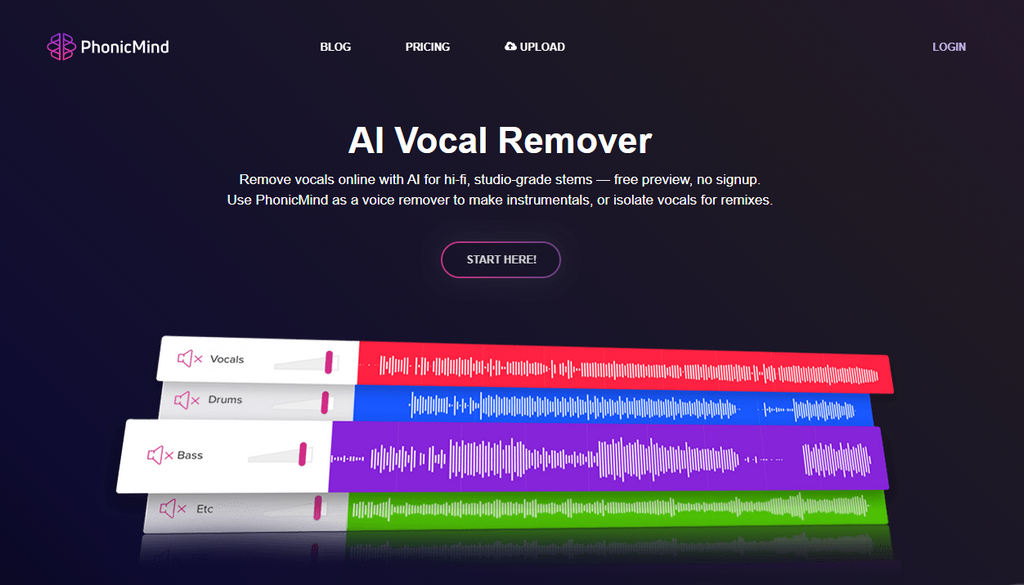
How to Remove Vocals with PhonicMind?
- Visit the PhonicMind website and click Start Here to upload your audio file.
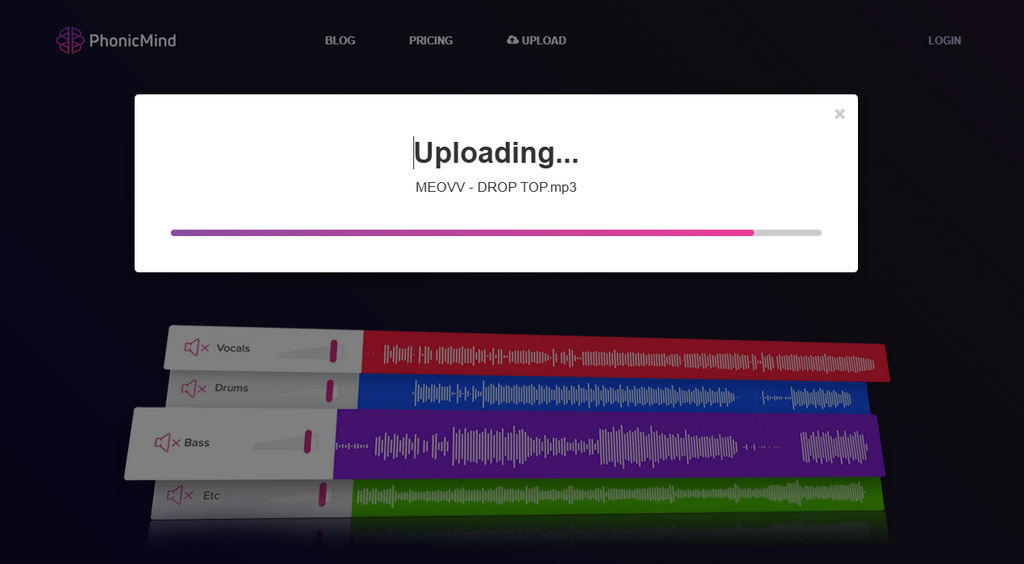
- Wait while the platform analyzes and processes your track. Processing speed may vary depending on file size and network conditions.
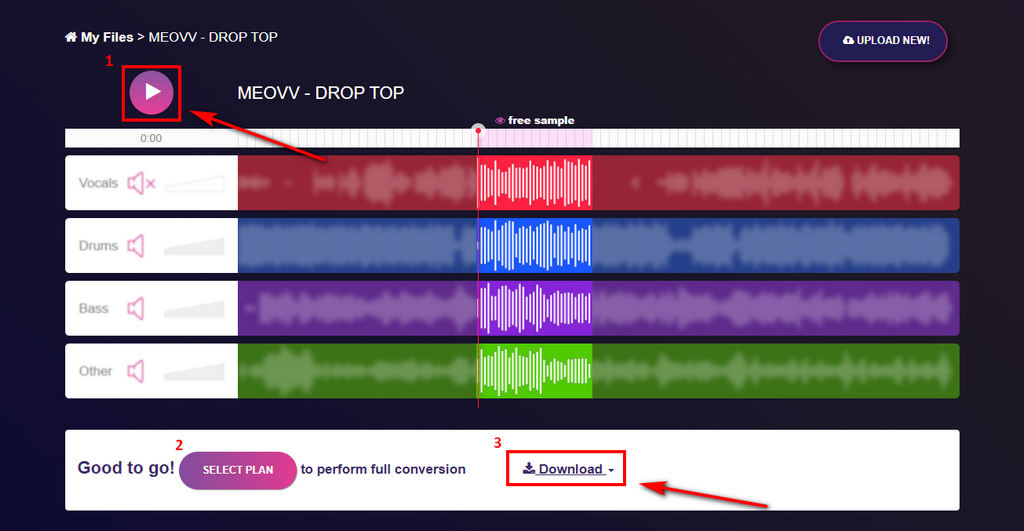
- Once the separation is complete, you can preview about 30 seconds of the result. If you’re satisfied, log in, choose a plan, and download the full separated audio files.
Pricing and Value of PhonicMind
PhonicMind offers subscription-based plans with different processing speeds and export options. Higher tiers unlock faster processing and additional download formats.
| Feature | Free Plan | Basic Plan | Pro Plan |
|---|---|---|---|
| Price | / | $ 49.99/year | $ 99.99/year |
| Full Conversions | Limited | Unlimited | Unlimited |
| Max Song Duration | 4 minutes | 4 minutes | 10 minutes |
| Processing Speed | Slow | Basic | Faster |
| Downloads | Only MP3 | Only MP3 | MP3, FLAC, ZIP, STEM.MP4 |
| Cancellation | / | Cancel anytime | Cancel anytime |
Pros
- Simple, beginner-friendly interface
- Easy vocal separation process
- Batch audio track download
- No installation, 100% online
- Supports common audio formats
Cons
- Quality may vary on complex mixes
- Pricing may feel less flexible for frequent users
For occasional use, the tool offers reasonable value. However, PhonicMind’s yearly plan can feel expensive for frequent users. In comparison, Coolo AI vocal remover offers higher usage allowance at a lower price, making it a more cost-effective choice for fast, high-quality audio processing.
Coolo AI Online Vocal Remover
100% vocal and instrumental isolation
Part 2. Powerful PhonicMind Alternative: Coolo AI
Coolo AI Overview
Coolo AI vocal remover represents a newer generation of music tools built with creator workflows in mind. Compared to traditional vocal removers, it focuses on speed, flexibility, and more detailed stem extraction, making it suitable for both casual creators and professionals.

Many users prefer it because it offers:
Faster processing speeds
More stem categories, including piano and guitar
Unlimited usage plans instead of restrictive limits
Advanced download options
Accuracy of stem separation and key detection
Stronger functionality at a lower cost
Better suitability for frequent workflows
How to remove vocals from audio with Coolo AI?
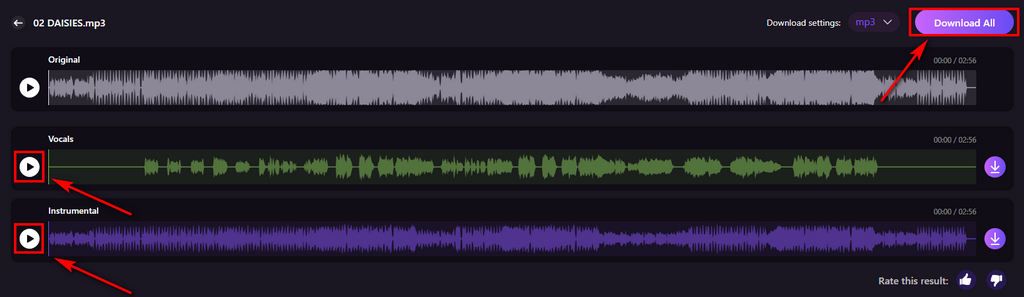
- Upload your audio file using the Select File button. The platform supports common formats such as MP3, WAV, M4A, and FLAC, making it easy to work with most music files.
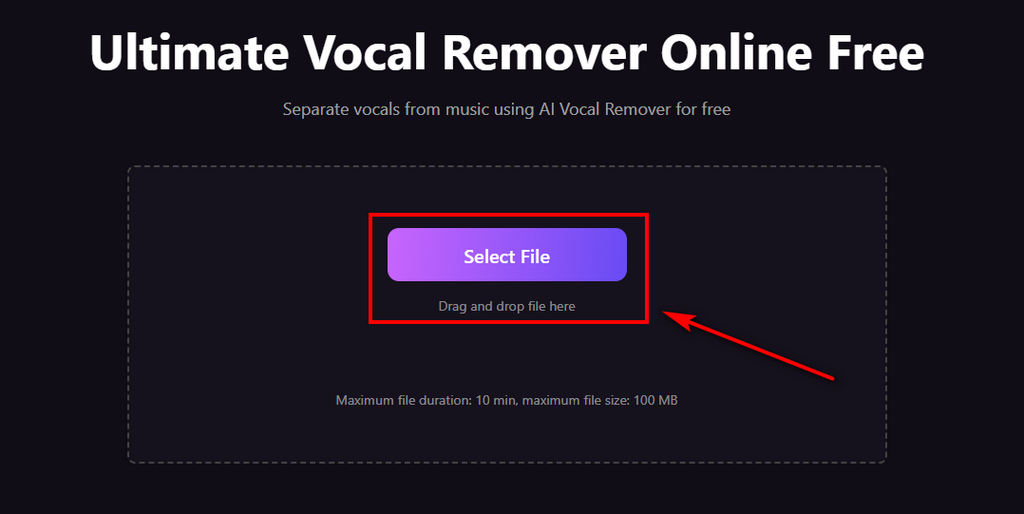
- Once uploaded, the AI automatically analyzes the track and separates the vocals from the instrumental track within seconds. The process requires no manual adjustment.

- After processing is complete, you can preview the result and download either the isolated vocals or the instrumental version, depending on your needs.
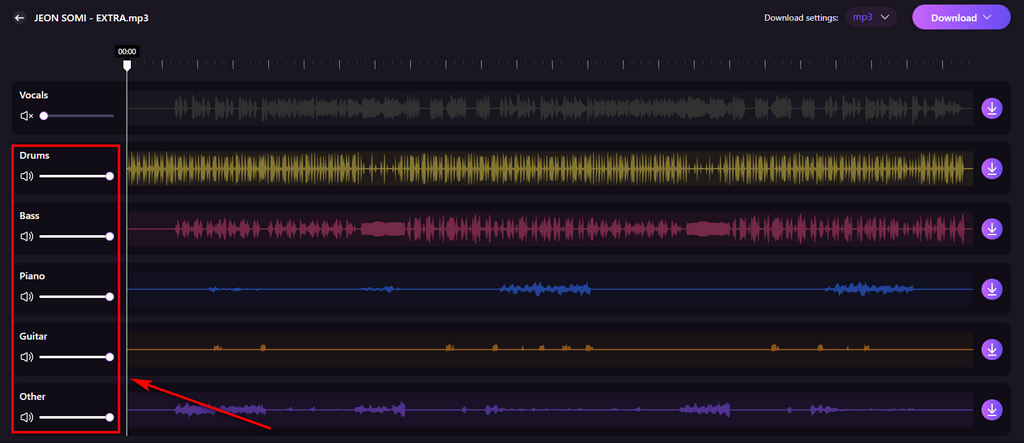
In addition, Coolo AI stem splitter supports one-click separation into six individual stems, including vocals, drums, bass, guitar, piano, and other instruments. This more detailed and precise stem separation provides greater flexibility for remixing, editing, and professional music production needs. The workflow is designed to minimize technical steps so users can focus more on creative work rather than setup.
PhonicMind vs Coolo Comparison
As AI vocal removers continue to evolve, differences in audio quality, speed, flexibility, and pricing have become more noticeable. Here’s a clearer, more concise comparison table to help you understand the differences between PhonicMind and Coolo AI.
| Feature | Coolo | PhonicMind |
|---|---|---|
| Pricing (Annual) | $59.88/year | $99.9/year |
| Max File Size per Upload | 100 MB | 100 MB |
| Max Length per Upload | 10 min | 10 min |
| Music Analysis Speed | Fast | Medium |
| Stem Separation Capability | 6 stems (vocals, drums, bass, piano, guitar, more) | 4 stems (vocals, drums, bass, other) |
| Advanced Settings | Excellent | Not Available |
| Extra Tools | Excellent | Not Available |
| User-Friendly | Excellent | Good |
| Audio Quality | Excellent | Good |
| Workflow Efficiency | Excellent | Good |
| Interface Design | Excellent | Excellent |
Both tools support similar file size and length limits, making them suitable for standard online stem separation. The main differences appear in processing speed, stem detail, and overall value. Coolo delivers faster performance and six-stem separation, giving you more control than a standard four-stem setup.
In terms of pricing structure, Coolo AI generally delivers stronger functionality at a more competitive annual cost, making it a better long-term option for frequent users.
Conclusion
PhonicMind remains a simple and accessible option for basic vocal removal and quick karaoke creation. Its straightforward workflow makes it easy for beginners to get started without technical knowledge.
However, as AI stem separation continues to advance, creators who need faster processing, more stem options, or better value for frequent use may benefit from newer tools built for modern workflows. For a faster, cleaner, more comprehensive, and professional vocal separation experience, you can give Coolo AI a try today.
Coolo AI Online Vocal Remover
100% vocal and instrumental isolation
FAQs
1. What is PhonicMind used for?
It’s mainly used for vocal removal. You can create instrumental tracks for karaoke or music production.
2. Can I use PhonicMind for free?
Not exactly. You can upload audio tracks up to 4 minutes long for free and preview up to 30 seconds of each track. To download the instrumental version, you’ll need to log in and subscribe to a plan.
3. How much does PhonicMind cost?
PhonicMind offers two subscription plans to choose from:
Basic: $4.99/month or $49.99/year
Supports uploads up to 4 minutes, with standard vocal separation and slower processing speed.
Pro: $9.99/month or $99.99/year
Supports uploads up to 10 minutes, processes faster than the Basic plan, but audio quality can be inconsistent.
4. What is a good alternative to PhonicMind?
Coolo AI is one of the best alternatives to PhonicMind. It provides more stem options, faster processing, and more reasonable pricing plans, delivering cleaner, more accurate vocal and instrumental isolation for your audio needs.
5. Can I extract piano audio from a song with PhonicMind?
No, it does not support piano extraction. It can only isolate vocals, drums, bass, and general instrumental tracks. For clean, dedicated piano audio extraction, Coolo AI stem separator is the better choice.