
How to Remove Bass from Songs (5 Effective Ways)
Martina Lee | Updated on 2026-08-14
The bass provides the low frequencies that give a song its depth, rhythm, and foundation. Although its low pitch can make it hard to notice, the bass is crucial to the harmonic structure and often defines the overall key of the track.
For those who want to remove bass from songs to create an instrumental version, understanding how to extract it is essential. A dedicated bass remover can help you extract or mute the bass frequencies with ease.
In this guide, you’ll discover five effective ways to remove bass from songs effortlessly, along with some helpful how-to tips to get you started. Without further ado, please keep reading!
Contents
Part 1. Remove Bass from Songs Online Free
The best way to remove bass from songs online is by using Coolo Online Bass Remover. This free tool makes it easy to remove vocals and isolate instrumental tracks, including bass, drums, piano, and guitar, with impressive accuracy.
It supports multiple audio formats and works directly in your browser, making it both fast and convenient. Plus, it lets you separate audio stems to easily create karaoke versions of your favorite songs.
Coolo AI Bass Remover
Instantly Remove Bass from Song
Here are the steps to remove bass from songs online:
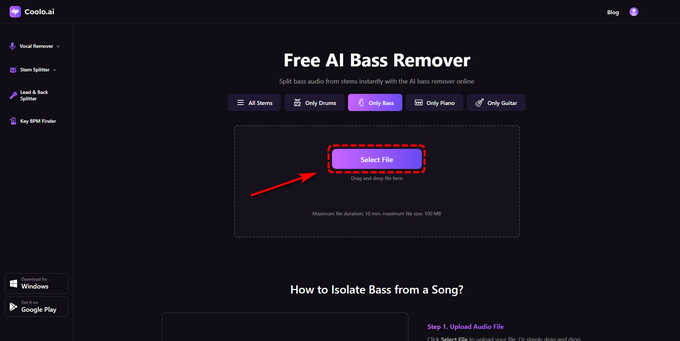
- Access the website and click Select File to upload your file from your device.
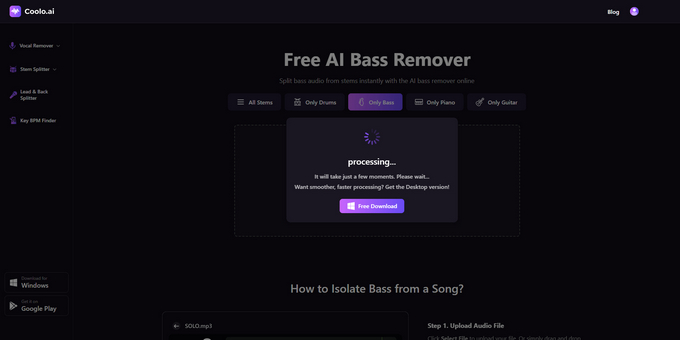
- Once uploaded, the Coolo bass remover online will automatically analyze your track and precisely remove the bassline.
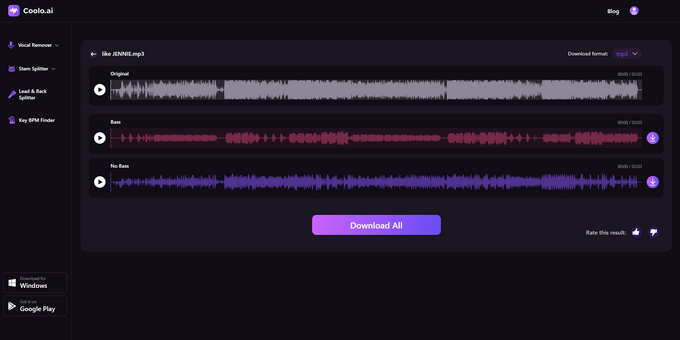
- After the Al stem separation, download the no-bass version as you prefer.
Part 2. Remove Bass from Songs with LALAL.AI
LALAL.AI is an innovative stem splitter that lets users edit and remix music in various ways. Using advanced AI audio separation, it accurately splits song elements like vocals, bass, drums, and instrumentals. This song bass remover offers a free version for previewing results, but downloading requires the Lite Pack, available for a one-time $15 fee.
Here’s how to remove bass from songs with LALAL.AI:
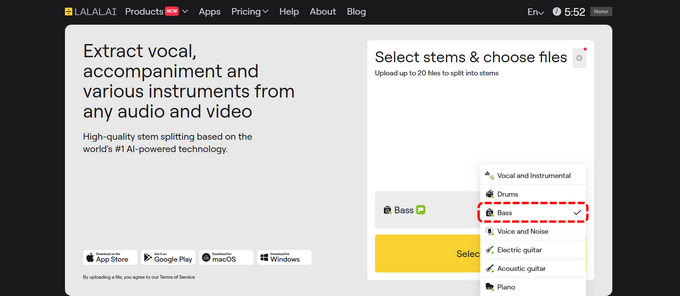
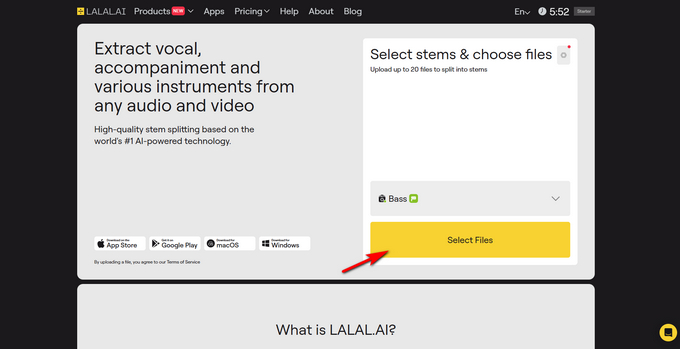
- Open your browser and go to the LALAL.AI website. Click "Vocal and Instrumental", then select "Bass" from the drop-down menu.
- Tap "Select Files" and choose the audio file from your device. It will upload in a few seconds.
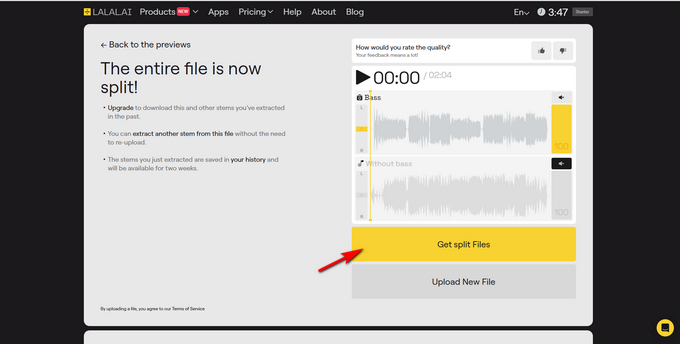
- LALAL.AI will analyze your audio and remove the bass frequencies, keeping the other elements intact. You can then preview the results.
- Click "Get split Files" to download both stems at once.
Part 3. Separate Bass from Songs with voice.ai
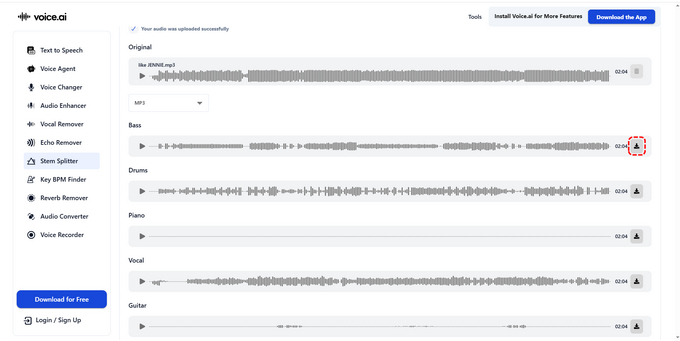
Another option you can consider when you search for how to remove bass from songs is voice.ai. This stem splitter uses cutting-edge technology with an easy interface. No software needed, just remove the bass directly in your browser. It supports all audio formats, offering fast processing and studio-quality output, ideal for practice, mixing, and creative projects.
How to remove bass from songs in 3 easy steps:
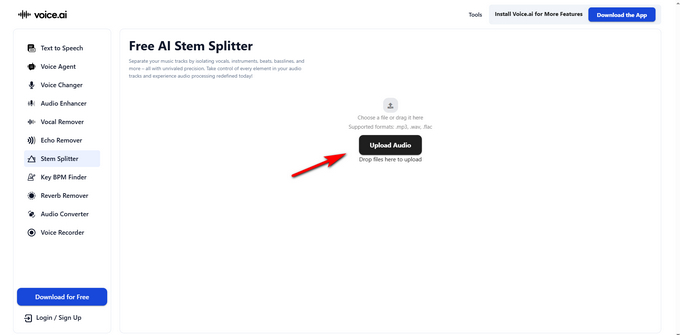
- Click Upload Audio to upload your audio file.
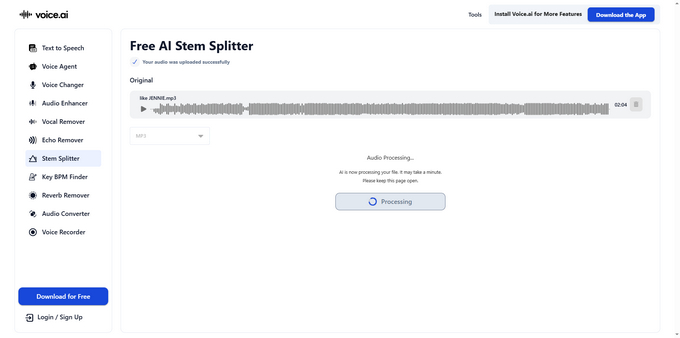
- Use the AI bass remover to process the song, and your bassless track will be ready in seconds.
- Download your bass track once the conversion is complete.
Part 4. Use Gaudio Studio to Remove Bass Online
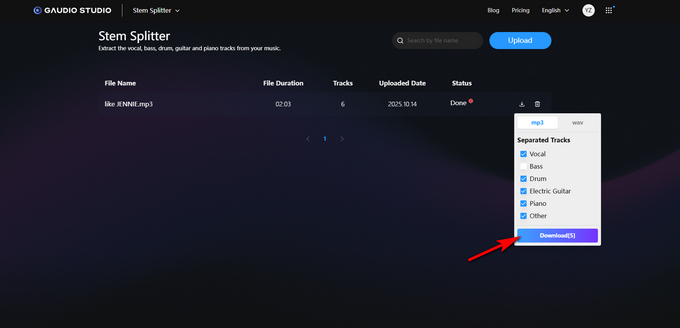
Gaudio Studio is a stem splitter designed to separate instruments from any music track. While it’s not entirely free, its free plan allows you to easily remove the bass from songs, making it an excellent option for users looking to isolate tracks or create instrumental versions.
How to remove bass from songs with Gaudio Studio. Please follow the steps:
- Log in to the tool and upload your song.
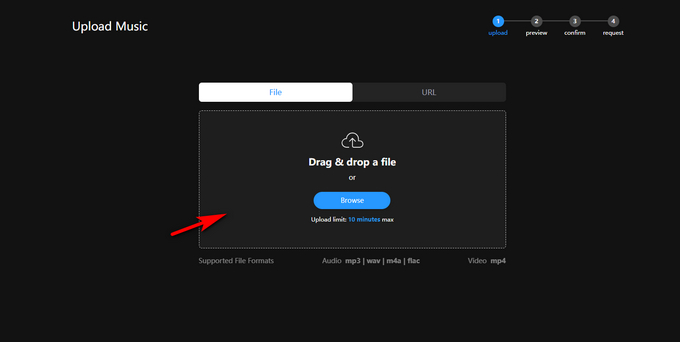
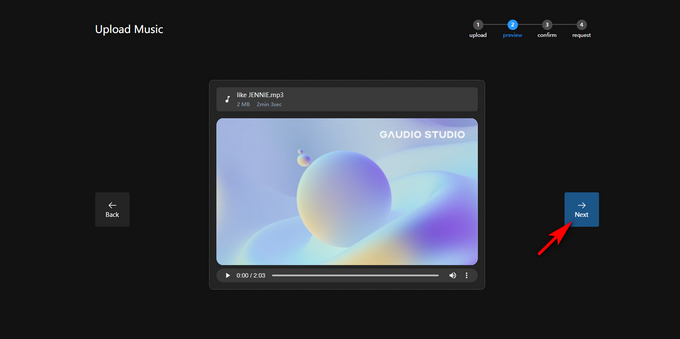
- Click Next to select the instrument you want to isolate.
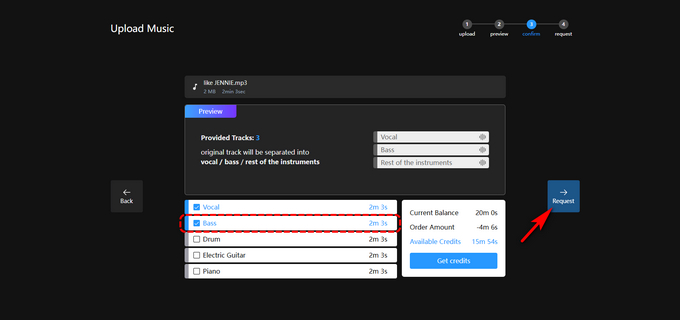
- Select all tracks, including bass, and click Request.
- Once the tracks are separated, export the audio. You’ll receive a mixed track with the bass inaudible.
Part 5. Remove Bass from Songs with EaseUS
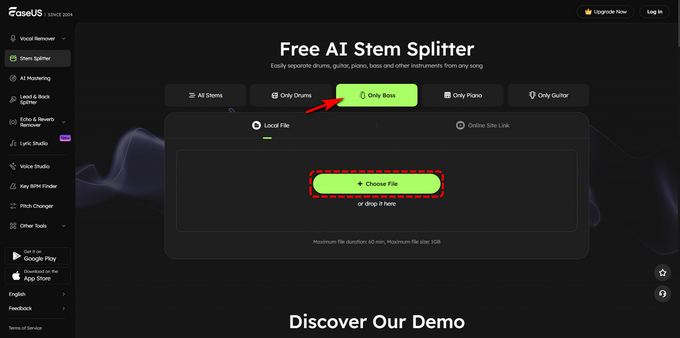
Looking for one-click bass isolation? EaseUS Stem Splitter is the one to help. It’s free and offers a simple instrument extraction feature for quick results. Beyond audio, it also works with videos. The user interface is intuitive, and you can easily switch between features from the toolbar menu.
If you want to remove bass using EaseUS online bass remover, you might need the tutorial below.
- Access the website and move to the "Only Bass" tab. Then click "Choose File" or drop the file in the area and wait for a few seconds.
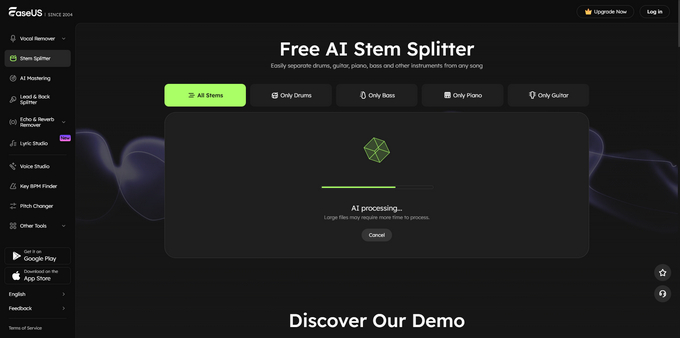
- After uploading, EaseUS Stem Splitter will instantly analyze your track.
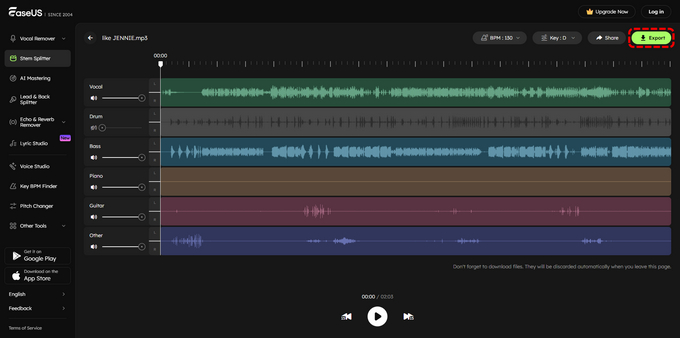
- Download the song with the bass removed.
Conclusion
In this guide, we’ll explore six effective ways to remove bass from songs. While all the options work effectively, Coolo AI Bass Remover stands out for its speed and precision. With just a few clicks, you can easily remove bass from songs online.
Coolo AI Bass Remover
Instantly Remove Bass from Song
Among these tools, we highly recommend downloading Coolo Bass Remover. It offers precise bass removal capabilities, allowing you to easily separate bass from your audio tracks. Download it and try it yourself!
FAQs on Removing Bass from Songs
1. Best way to remove bass tracks?
The best option is to use Coolo AI bass remover, which can precisely remove bass from songs, providing professional-quality results.
2. How to isolate bass from a song?
Step 1. Select and upload your audio file.
Step 2. Coolo free AI bass remover instantly separates vocals, drums, bass, and other instruments.
Step 3. Listen to the stems and download the ones you want for remixing, karaoke, or production.
3. Why do people like bass in music so much?
Bass adds richness and strong vibrations to music, enhancing the listening experience. In dance music, basslines serve as the core, making it more dynamic and engaging. Moreover, bass frequencies infuse a song with emotion and energy, amplifying its overall effect.