
How to Remove Piano from Song Online Easily in 2026
Martina Lee | Updated on 2026-08-14
It's meaningful for all music lovers and producers to remix music, create karaoke tracks, and isolate piano from song for practice. In the past, separating instruments from song required complex professional studio software and audio engineering skills. But today, with AI-powered tools, you can remove piano from song online in just a few clicks. With advanced algorithms, you can identify and separate piano frequencies while preserving the rest of your music with impressive clarity.
In this guide, we’ll explain what you can do with an isolated piano track and introduce the best free online AI stem splitters that help you achieve professional piano results effortlessly.
Contents
Part 1. What Can I Do After Isolating Piano from a Song?
Removing or isolating the piano part of a song can serve many purposes:
1. Create karaoke or backing tracks without piano.
2. Remix songs by adding or replacing piano parts.
3. Analyze chords and melodies for singer and piano learners.
4. Prepare clean stems for mixing and mastering.
5. Use piano tracks in videos or podcasts.
Indeed, there are more uses for piano audio waiting to be explored. And there’s no doubt that isolated instrumental tracks give you the flexibility to repurpose and enhance your music projects however you like.
Part 2. How to Remove Piano from a Song for Free?
Coolo AI Piano Remover
Coolo AI piano remover is a powerful web-based AI stem separation tool that precisely detects and removes piano from song. It supports MP3, WAV, FLAC, and M4A formats, and delivers clean, natural-sounding results without distortion. With fast AI processing and real-time preview, Coolo AI song splitter is ideal for producers, content creators, and beginners who need professional results quickly. Try for the straightforward and fast music separation here!
Coolo Al Piano Remover
Instantly Remove Piano from Song
How to isolate piano from a song with Coolo AI:
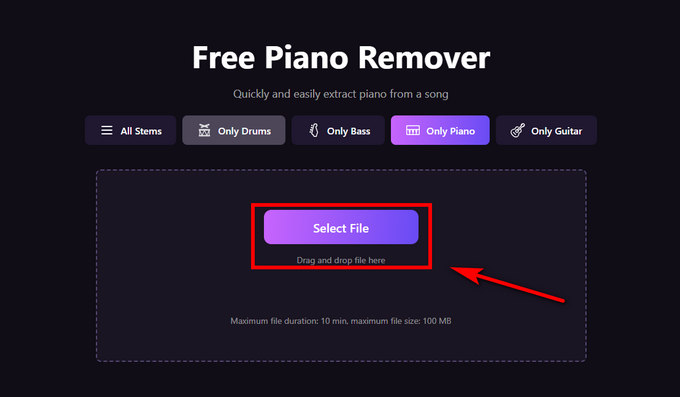
- Visit the Coolo piano separation tool, click Select File, or drag and drop your track into the upload area. It supports multiple audio formats, so you can easily upload audio without converting it first.
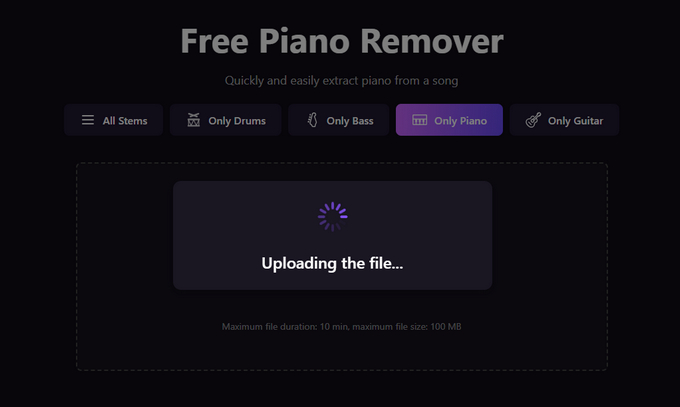
- Wait for the AI-powered piano remover to automatically detect and separate the piano from the rest of your track.
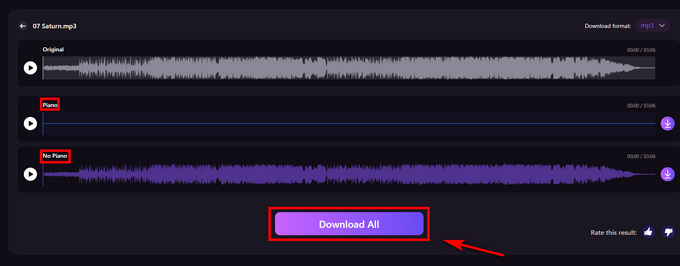
- After processing, you can preview the piano-only and piano-free audio in real time and choose to download them for further editing or remixing.
voice.ai
voice.ai offers an advanced music splitter that separates vocals, drums, bass, and piano stems with impressive accuracy. You can isolate instrumentals easily with this browser-based tool. It's perfect for remixing, sampling, or studying musical arrangements.
How to extract piano from song with voice.ai:
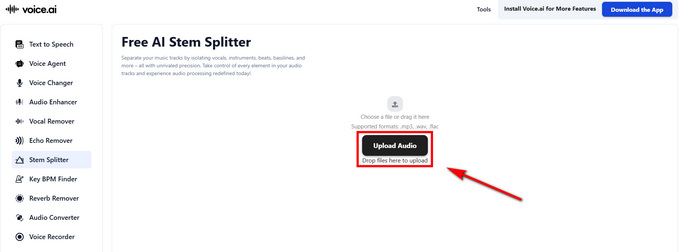
- Upload your song directly to the stem splitter page.
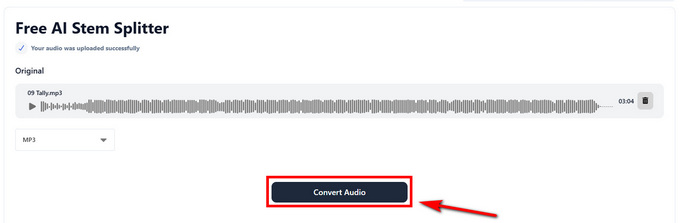
- After uploading audio, click the Convert Audio button to separate instruments from song.
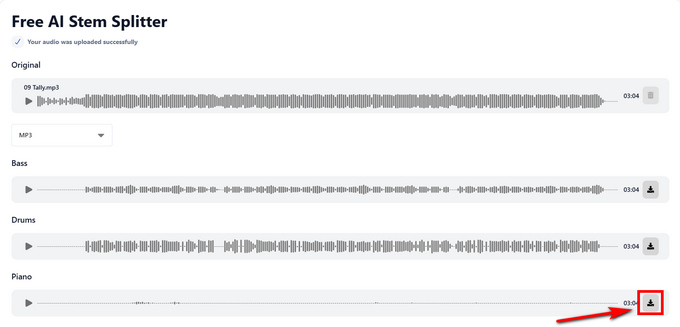
- Preview the isolated tracks, click the Download button to download the piano stem. You can also download bass, drum, vocal, and other tracks.
LALAL.AI
LALAL.AI is a powerful AI stem separation tool that provides precise audio isolation. It supports isolating piano, vocals, drums, noise, and more. You can upload files directly, choose the model you need, preview separated stems, and download high-quality results online.
Isolate piano from song with LALAL.AI:
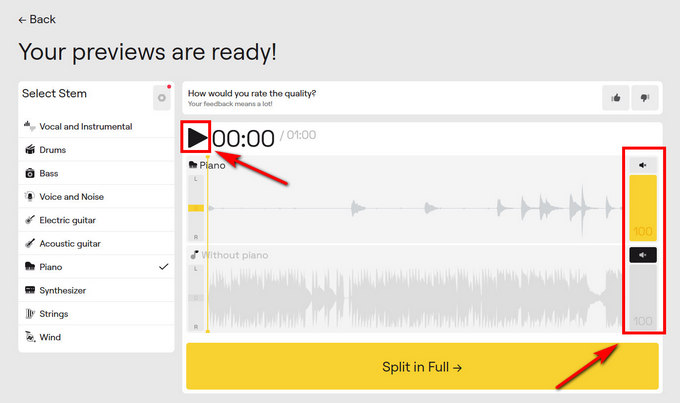
- Upload your song to the LALAL.AI website.
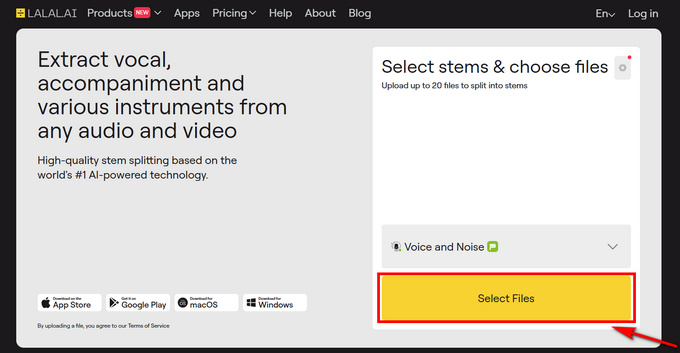
- Choose Piano as the stem you want to isolate or remove, then the song splitter will start to analyze your audio.
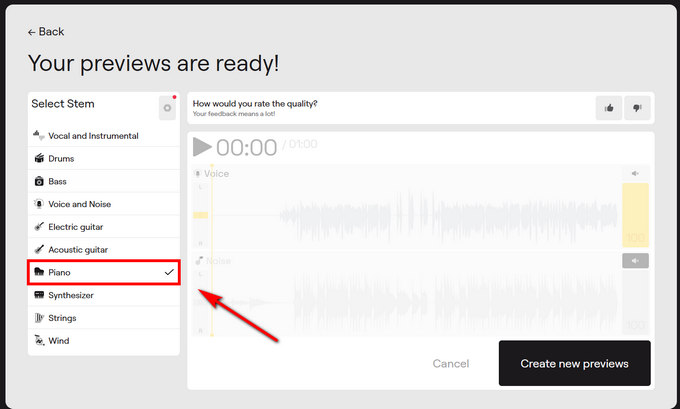
- Preview the separation and download the piano-free track.
AudioCleaner
AudioCleaner, an online music splitter, is designed to remove piano and other background instruments from songs. It’s lightweight, fast, and doesn’t require registration. Its simple interface makes it suitable for beginners and anyone who wants quick, effective results.
Remove piano from a song with AudioCleaner:
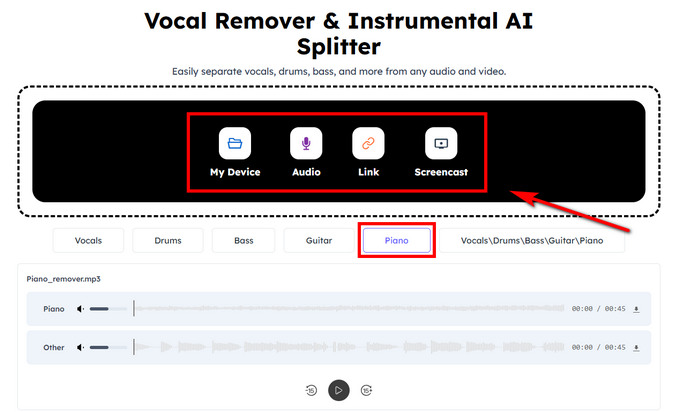
- Upload your audio or video formats. You can click Piano mode to preview the isolated piano track.
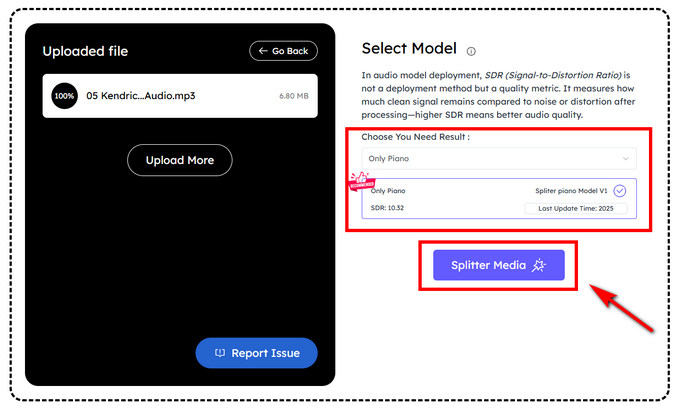
- Choose the model you want and click Splitter Media to start processing.
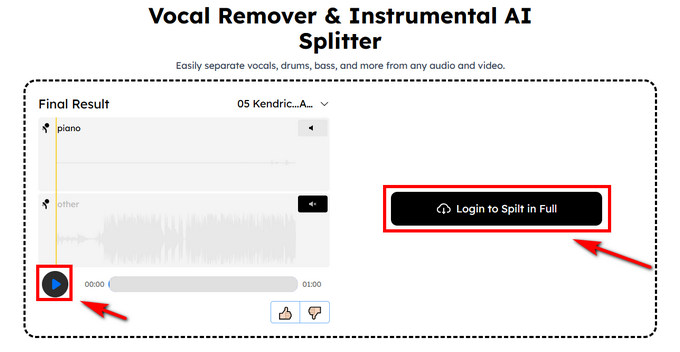
- Play the separated piano audio and click Login to Spilt in Full to download the cleaned file.
Remusic
Remusic is an easy-to-use online piano isolator that can remove instruments like piano or guitar. It’s convenient for karaoke creators and remix artists to upload any format. The process is automatic, and you can remove piano from song directly in your browser.
Separate instruments from song with Remusic:
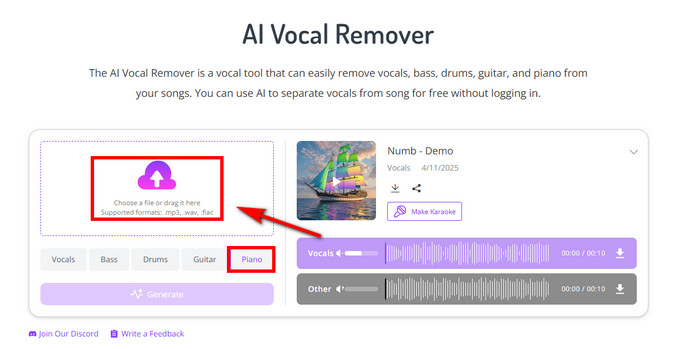
- Choose the Piano model and decide on the audio file you want to analyze on the Remusic website.
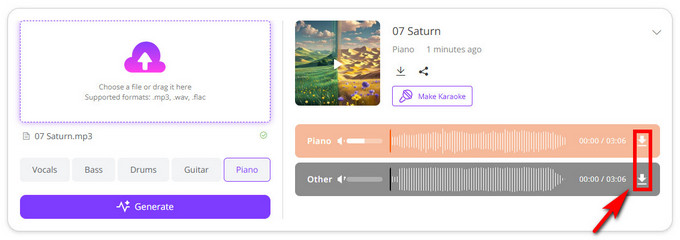
- After previewing the isolated audio stem and clicking the Download button to save your desired audio.
Conclusion
Removing piano from songs no longer requires expensive software or hours of complex editing. With Coolo AI piano remover, the entire process is now simple, fast, and accessible to everyone. You can now isolate piano from song directly in your browser without technical skills required.
Coolo Al Piano Remover
Instantly Remove Piano from Song
Whether you’re a music producer refining a mix, a teacher preparing backing tracks, or a creator making karaoke or instrumental versions, these music splitters let you achieve professional-quality results with ease. In just a few clicks, you can create clean, customized audio that fits your creative goals — making music editing smoother and more enjoyable than ever. Download the powerful tool to separate instruments from song right now!
FAQs
1. Who is the best piano remover?
Coolo AI piano isolator is one of the best audio tools. Just upload your audio, and you can separate instruments from songs in one click.
2. Can I remove piano from song for free?
Yes, Coolo AI offers free processing for all audio files. You can achieve easy, quick audio stem separation.
3. Does removing instruments from a song affect the sound quality?
It depends on the Coolo AI piano remover and the mix's complexity. High-end AI algorithms minimize quality loss.
4. Can I remove piano from song on mobile devices?
Absolutely! You can isolate piano from song on any device with Coolo AI. It works directly in both browsers and software.