
How to Split Audio into Stems Online (4 Free Ways)
Martina Lee | Updated on 2026-08-19
Mixed audio can make it difficult to work with individual sounds. In music tracks, videos, or recordings, vocals and instruments are often blended together, limiting flexibility in editing.
That’s why many creators choose to split audio into stems. Instead of dealing with a single mixed track, stem splitting separates vocals, drums, bass, and other elements, making it easier to remix, edit, or reuse specific parts. With Coolo AI Stem Splitter, you can quickly separate audio into high-quality stems online in just a few clicks.
Below is a complete guide on how to split audio into stems online using the best tools and methods.
Contents
Part 1. Why You Should Split Audio into Stems
Splitting audio into stems separates a song into vocals, drums, bass, and other instruments, giving you full control over each part. Want to practice an instrument, remix a track, or create a mashup? A stem splitter makes it easy.
Musicians, singers, and DJs can isolate individual tracks—drummers focus on percussion, singers rehearse with backing tracks, and DJs craft unique mixes. Tools like Coolo AI Stem Splitter make this fast and precise, turning any song into a flexible, creative, and personal experience.
Part 2. 4 Best Tools to Split Audio into Stems Online
Coolo AI Stem Splitter
Coolo AI Stem Splitter is a powerful online tool that lets you split audio into stems quickly, accurately, and effortlessly. Using AI, it can separate vocals, drums, bass, guitar, piano, and other instruments, delivering clean, professional-quality stems without complex software or studio setup.
Ideal for singers, musicians, DJs, and content creators, it allows remixing, karaoke, practice, or video production with isolated tracks. By keeping each element natural and full, Coolo AI Stem Splitter gives you complete control and supports multiple audio formats for any project.
Coolo AI Online Stem Splitter
100% vocal, drum & instrument separation
How to split audio into stems with Coolo AI:
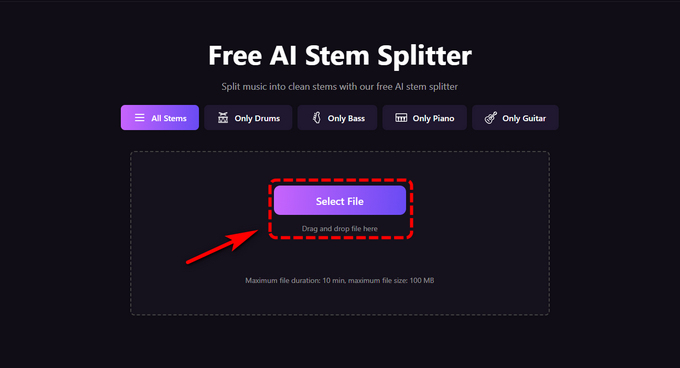
- Visit the website and open the AI stem splitter. Upload your audio by browsing your files or simply dragging and dropping it.
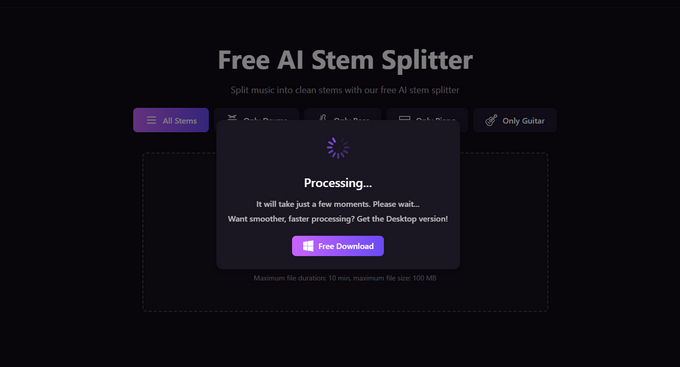
- The AI will automatically analyze the track and separate it into stems, such as vocals, drums, bass, piano, and guitar.
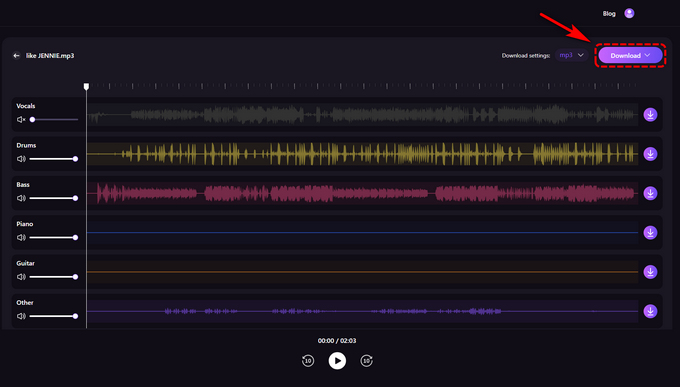
- Once complete, preview each stem and download them directly to your device.
Kits.ai Audio Splitter
Kits.ai focuses on separating vocals rather than every instrument. It handles up to four stems and works smoothly with voice synthesis tools, making it great for layering, harmonies, or creating synthetic singing. It’s not for full-song remixes but is perfect for experimenting with tones, phrasing, and vocal expression.
Steps to split audio into stems:
- Select the track you want to process in kits.ai stem splitter.
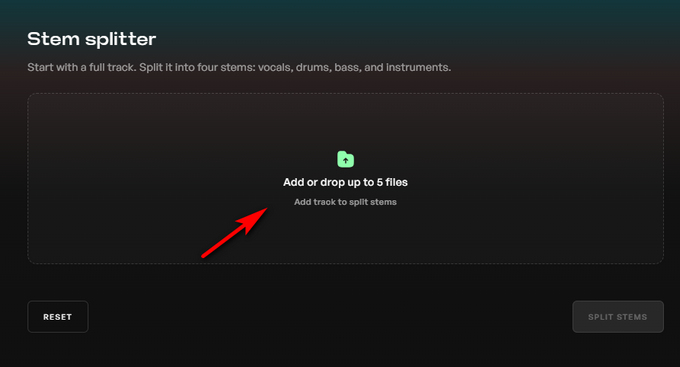
- Click the Split Stems button, then wait for it to process.
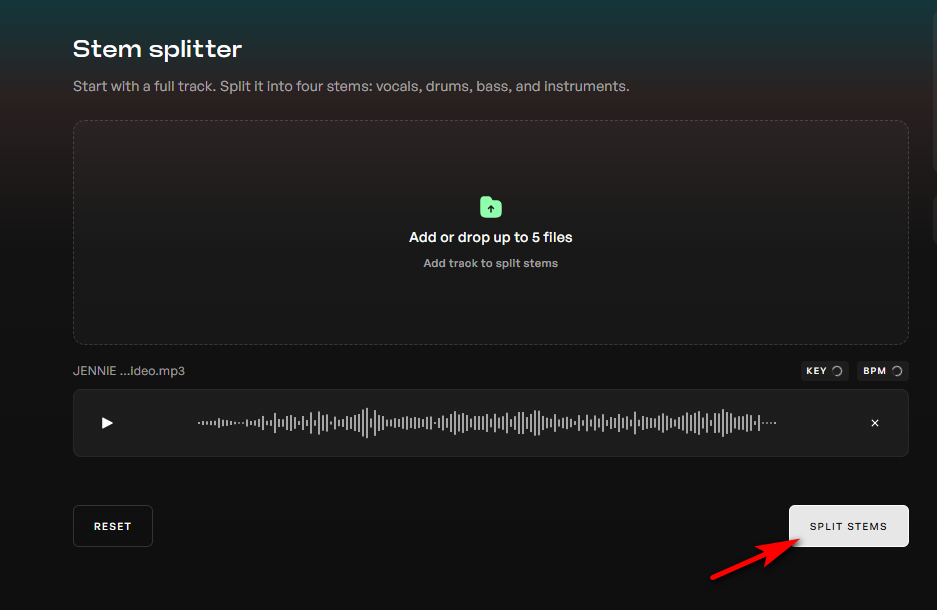
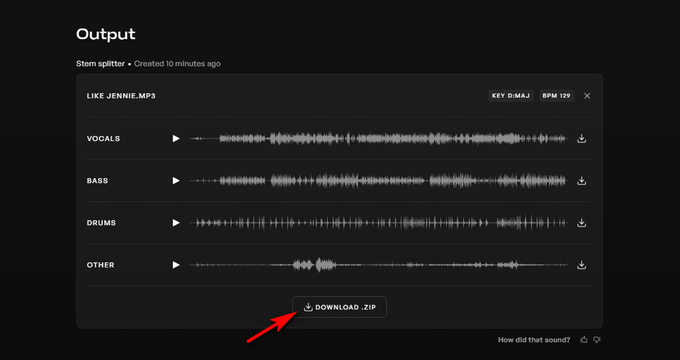
- Preview the isolated tracks, then click Download to save a .zip file. You can also download individual stems like bass, drums, vocals, and more.
VocalRemover.org Stem Splitter
Vocalremover.org is a free, AI-powered stem splitter that uses an open-source approach. While it may not match the accuracy of premium tools, it’s a reliable choice for beginners looking to start splitting audio into stems.
How to get stems from any song with splitter AI:
- Open your browser and go to Splitter.ai. Click the Browse my files button to upload the audio track.
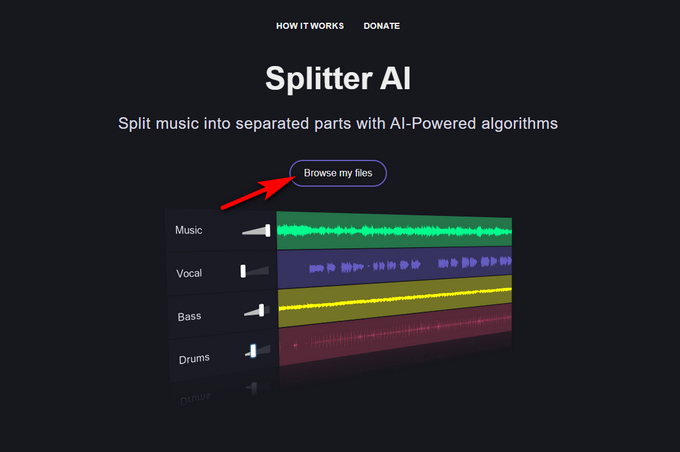
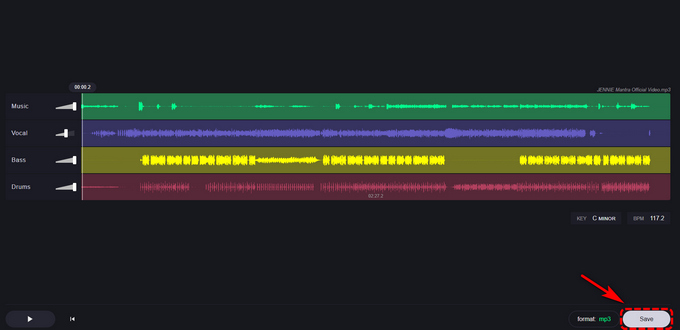
- The AI will automatically detect and separate the track into vocals, bass, drums, and others.
- Choose your preferred output format and click Save to download the stems as separate files.
Voice.ai Stem Separation Tool
voice.ai audio splitter can separate vocals, drums, bass, and piano with high accuracy. This browser-based tool makes it easy to isolate instrumentals, making it ideal for remixing, sampling, or analyzing music arrangements.
How to split audio into stems with voice.ai:
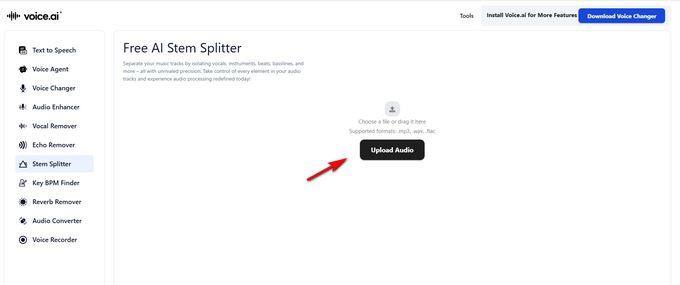
- Upload your song on the Voice.ai Stem Splitter.
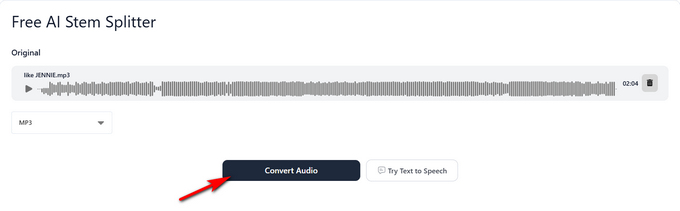
- Click the Convert Audio button to separate the instruments from the track.
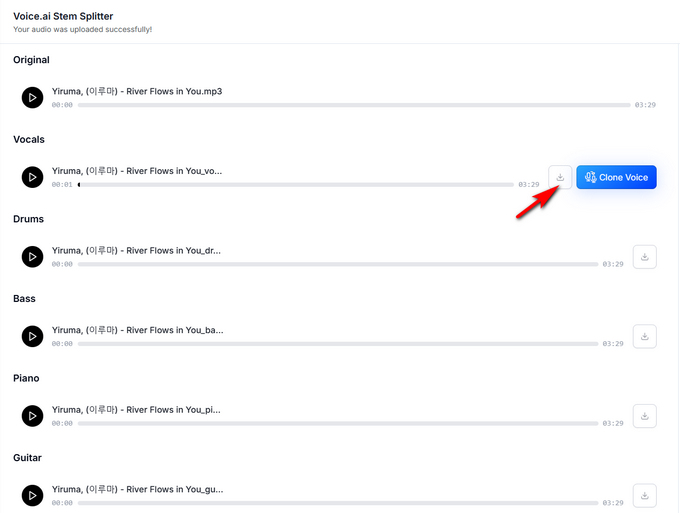
- Preview the isolated stems, then click Download to save the piano or other stems.
Conclusion
Splitting audio into stems has never been easier thanks to modern AI-powered tools. Platforms like Kits.ai, Voice.ai, and other online stem splitters make it simple to separate vocals, drums, bass, and instruments while keeping the overall sound clean and natural. By using high-quality audio, understanding track complexity, and choosing the right tool, you can achieve more accurate and professional stem separation results.
Ready to remix a song, create karaoke tracks, or gain full control over your audio? Try Coolo AI Stem Splitter today and split audio into stems in just a few clicks.
Coolo AI Online Stem Splitter
100% vocal, drum & instrument separation
FAQs
1. What Is an AI Music Splitter?
An AI music splitter is a tool that lets you split audio into stems by separating vocals, drums, bass, and other elements from a track, giving you more control for editing and remixing.
2. Can a stem splitter be used for professional music production?
Yes. Coolo AI Stem Splitter is suitable for both beginners and professionals. With accurate stem separation, it is ideal for remixing, music production, and advanced audio editing.
3. What can a stem splitter separate?
Coolo AI Stem Splitter can isolate vocals, drums, bass, piano, guitar, and other instruments from a track, allowing you to work with each element individually.