

5 Best Vocal and Instrumental Splitters in 2026
Martina Lee | Updated on 2026-08-19
In this guide, we review five of the best vocal and instrumental splitter tools available today. From fast online solutions to more advanced multi-stem separators, each tool offers different strengths. Whether you need quick vocal removal or detailed stem control, this comparison will help you find the right solution for your workflow.
In this guide, we take a look at five popular tools, including Coolo AI vocal and instrumental splitter and several online alternatives, highlighting their key features and differences to help you choose the right solution for your needs.
Part 1. What Is a Vocal and Instrumental Splitter?
A vocal and instrumental splitter is an AI-powered tool that uses AI to that separates a mixed audio track into individual components such as vocals, drums, bass, and other instruments. These typically include vocals, drums, bass, and other instruments.
Most modern tools rely on machine learning models trained to recognize frequency patterns in music. After uploading a track, the system analyzes the audio and outputs separate stems that you can preview or download.
Part 2. Top 5 Vocal and Instrumental Splitter Tools
Below are five of the most popular vocal and instrumental splitter tools in 2026, each with its own strengths depending on your needs.
1. Coolo AI (All-in-One Audio Toolkit)
Coolo AI vocal and instrumental splitter provides a fast and reliable way to separate vocals and instrumentals, with support for multi-stem separation for more flexible editing.
Along with vocal separation, the platform includes tools like noise reduction, echo removal, and BPM and key detection. Running entirely in the browser, it’s easy to use for both quick edits and more advanced workflows.
If you want a tool that’s both simple and powerful, Coolo AI is a great place to start.

How to split vocal and instrumental with Coolo AI?
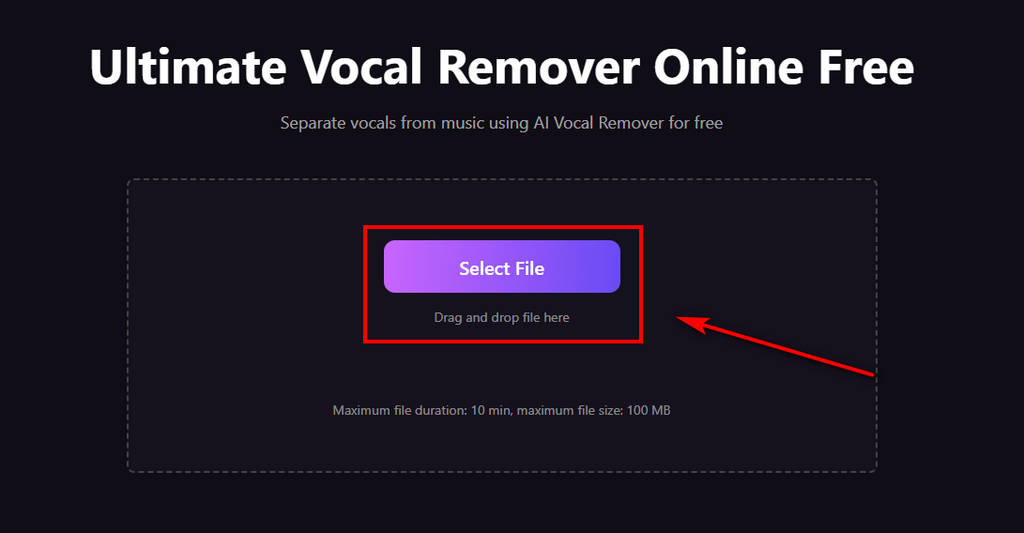
- Click the Select File button to upload your track. Our vocal and instrumental splitter supports MP3, WAV, M4A, FLAC, and other common formats.
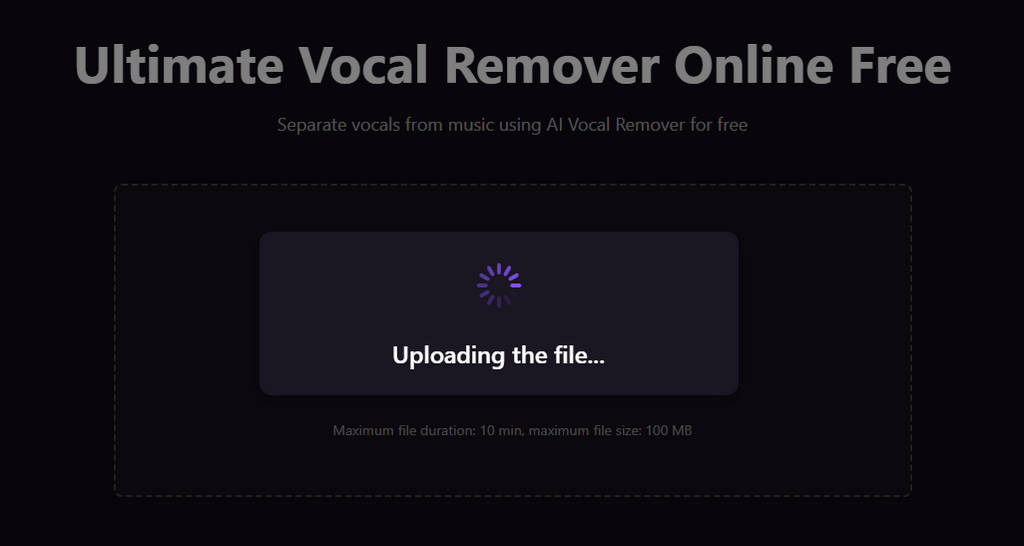
- The vocal and instrumental splitter automatically analyzes your audio and separates vocals from instrumentals within seconds.
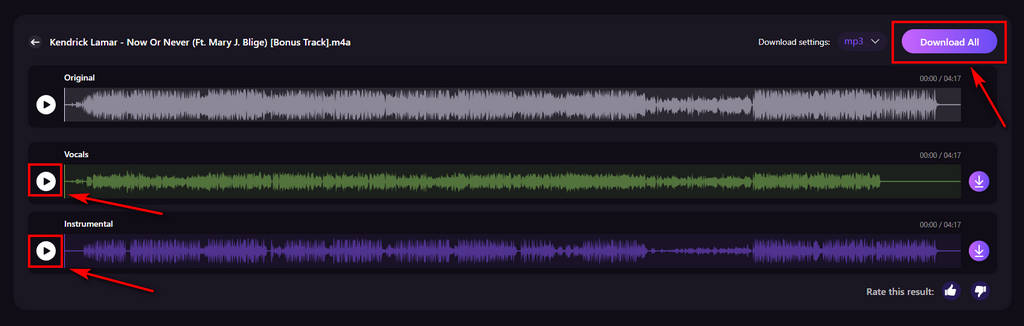
- Listen to the result, click the Download All button to download the isolated vocals or instrumental track to your device.
Pros
- All-in-one audio toolkit
- Fast stem separation
- Intelligent AI music analysis
- Remove vocals for free
- Supports all major audio formats
- Detailed lead and backing vocal separation for karaoke
- Splits vocals, drums, bass, and more
- Runs in the browser, no install needed
Cons
- Maximum file size limit
2. SoundBoost
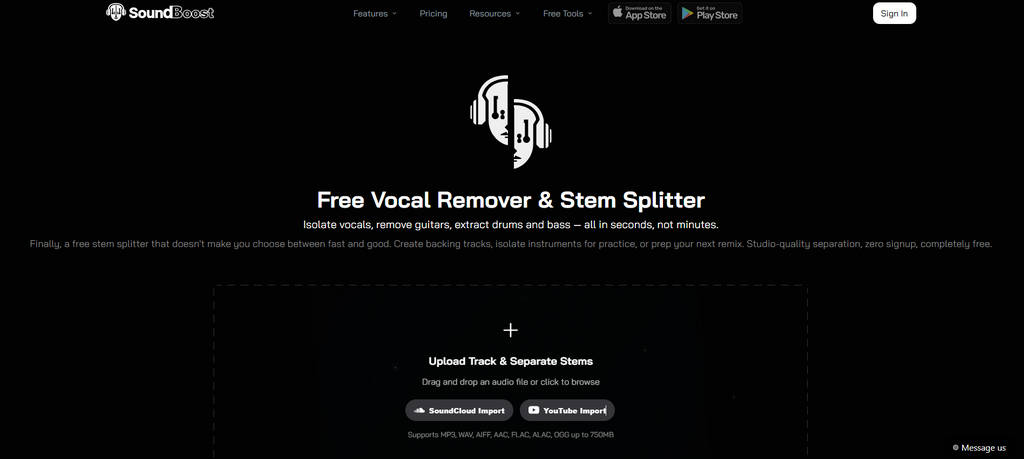
SoundBoost allows you to remove vocals from a wide range of audio formats. You can also paste a link to process tracks directly and perform stem separation. It supports file sizes up to 750MB and direct imports, making it a better choice for users working with larger or more complex audio projects.
Pros
- Supports multi-stem separation
- Includes looping and metronome
- Works in the browser
- Handles large files
Cons
- Can feel complex for quick use
- May take longer to process
3. MakeSong
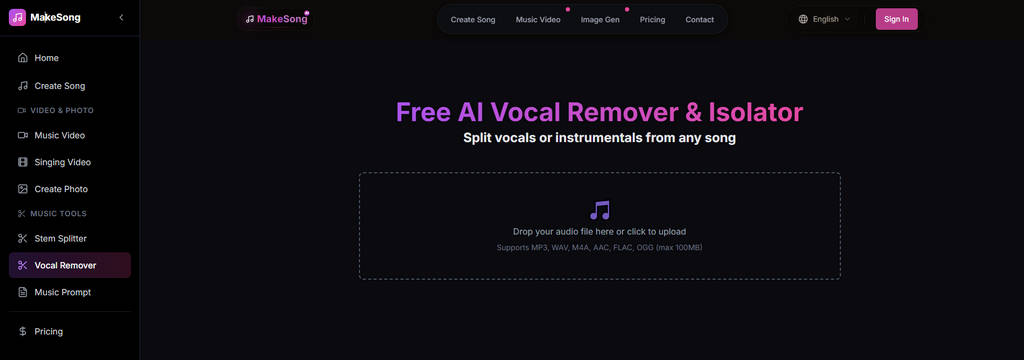
MakeSong positions itself as a flexible stem separation tool with tiered capabilities. The interface is simple and intuitive, allowing you to upload and process audio quickly. It supports multi-stem separation, with the standard version providing up to four stems, while the Pro version expands this to up to twelve stems with a higher-tier plan.
Pros
- Clean and simple interface
- Easy for beginners
- Supports MP3, WAV, and FLAC
- Fast upload and processing
Cons
- Limited advanced feature details
- Few extra music tools included
4. MusicCreator AI
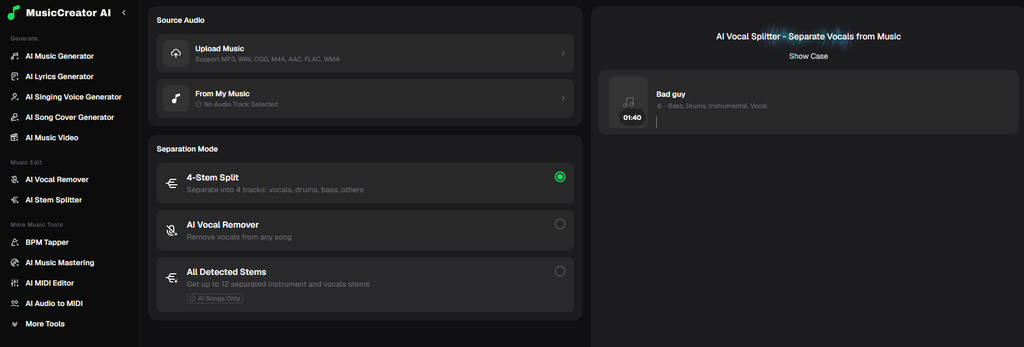
MusicCreator provides clean and accurate vocal removal to ensure consistent and reliable results. It supports both simple vocal isolation and more detailed multi-track splitting, while also enabling adjustments before export. As part of a broader creation platform, it is designed not just for extraction, but for users who want to refine and reuse stems in different projects.
Pros
- Supports vocal and multi-stem splitting
- Allows easy stem preview and adjustment
- Handles multiple formats
Cons
- Registration required
- Processing takes around 3-4 minutes
- File upload failures may occur
5. VocalSplit
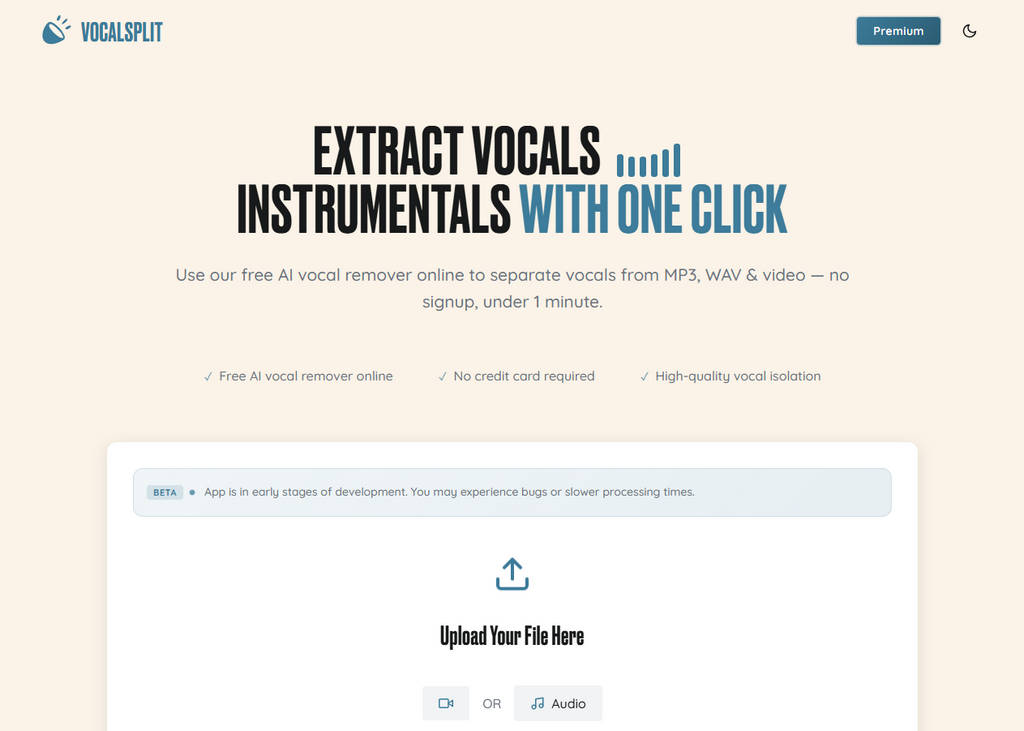
VocalSplit supports removing vocals from both audio and video files, allowing you to process music tracks or speech videos without a complicated setup. The website also provides sample previews of separated audio, so you can listen to the results before processing your own file. Overall, it is a practical choice for beginners or users who need quick and simple vocal removal.
Pros
- Free to use, no signup
- Supports audio and video formats
- No special skills required
- Works on any device
Cons
- May have bugs or slow processing
- Basic voice isolation only
- Limited advanced setup
Part 3. Comparison of Vocal and Instrumental Splitters
The following table compares the key features of each vocal and instrumental splitter. It highlights what makes them unique and helps you quickly compare features and choose the best vocal and instrumental splitter for your specific needs.
| Feature | Coolo AI | SoundBoost | MakeSong | MusicCreator | VocalSplit |
|---|---|---|---|---|---|
| Audio Quality | Excellent | Excellent | Good | Good | Basic |
| Stem Separation Capability | Excellent | Good | Good | Basic | Basic |
| Workflow Efficiency | Excellent | Good | Basic | Basic | Limited |
| User-Friendly | Excellent | Good | Good | Basic | Good |
| Interface Design | Excellent | Excellent | Basic | Basic | Good |
| Extra Features | Good | Good | Basic | Basic | Limited |
Conclusion
Vocal and instrumental splitters have become essential tools for modern music workflows. From simple vocal removal to full multi-track separation, these tools make it easier to work with audio in creative ways.
Each tool in this list offers unique features and advantages. Choosing the right tool depends on whether you prioritize ease of use, advanced features, or full control over audio stems.
Looking for a well-balanced tool that is easy to use and still offers powerful features? Coolo AI vocal and instrumental splitter is a great place to start.
Coolo AI Online Vocal Remover
100% vocal and instrumental isolation
FAQs
1. What is the best vocal and instrumental splitter?
Coolo AI is one of the best vocal and instrumental splitters available. It helps you remove vocals from audio for karaoke, music production, and content creation.
2. Can I split instrumental music?
Yes, Coolo AI vocal remover helps you separate vocals and instrumentals easily. Simply upload your music file to get fast and high-quality results.
3. How to isolate vocals from a song with AI?
Step 1. Upload your music to the AI audio splitter.
Step 2. The AI will process your audio and deliver high-quality results.
Step 3. Preview the vocal and background music results. You can download them to your device without heavy effects.
4. Is it possible to remove vocals for karaoke?
Of course! You can remove vocals from a song with Coolo AI vocal isolator. No technical skills or high-end equipment are required. Just open the website and start processing your audio!
5. Can I separate vocal and instrumental online?
Yes. Coolo AI vocal extractor provides a fast and easy way to separate vocals and instrumentals online. No installation or account setup is required.