
Complete X Minus Pro Review & Its Top Alternative
Martina Lee | Updated on 2026-08-18
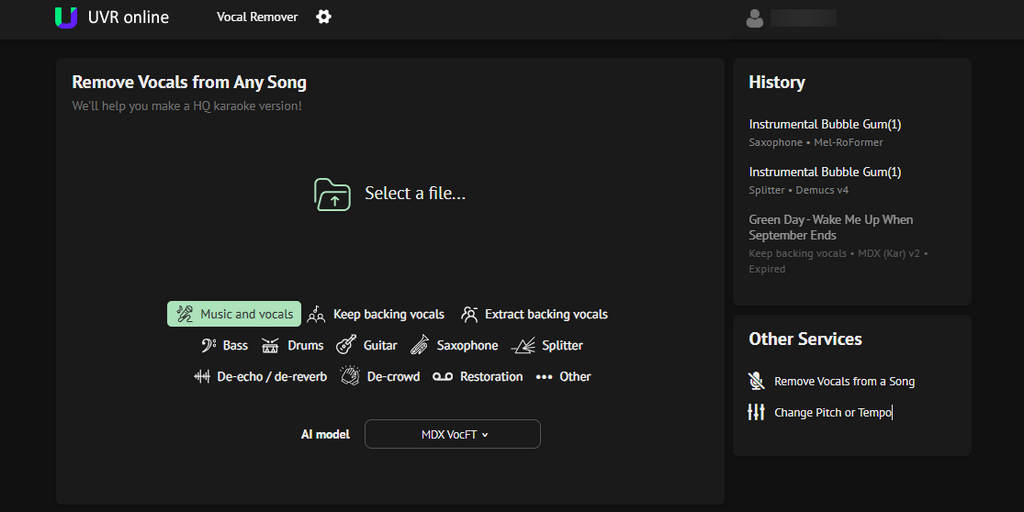
Extracting vocals from songs online has become increasingly popular, especially for users who want quick karaoke tracks without installing software. Among many web-based tools, X Minus Pro stands out as a well-known online vocal remover that allows users to isolate vocals, separate stems, download accompaniments, and adjust pitch or tempo directly in the browser.
This article provides a detailed review of X Minus Pro, including its features, pricing, and real-world performance. It also explores Coolo AI, a creator-focused platform that delivers high-precision vocal removal and fast multi-track stem separation powered by advanced AI.
Part 1. Overview of X Minus Pro
What Is X Minus Pro?
X Minus Pro is designed primarily for karaoke lovers and casual music users. It enables you to separate vocals from instrumentals, download karaoke tracks, and make basic audio adjustments such as changing pitch, tempo, or playback speed.
One of its most distinctive features is its built-in accompaniment library, which contains hundreds of thousands of pre-made karaoke tracks across different genres and eras. You can search for songs directly on the platform or upload your audio files for processing.
Main Features of X Minus Pro
Vocal Removal and Isolation With X Minus Pro, you can isolate vocals from a song for up to 12 minutes each day. Both the vocal and instrumental tracks can be downloaded separately, making it suitable for karaoke practice and simple remix projects.
• Basic Stem Splitting
X Minus Pro can separate individual instruments such as bass, drums, and guitar from a track. You can download each stem separately or in batches, making it easier to experiment with remixes or create simple instrumentals.
• Pitch and Tempo Adjustment
You can adjust pitch and playback speed directly in the browser. This is useful for karaoke singers who want to change a song’s key or tempo to better match their vocal range.
• Built-in Karaoke Accompaniment Library
The service offers access to a large library of pre-made karaoke tracks covering various genres and eras. You can search for songs directly on the platform or upload your own files to sing along.
• Online and Installation-Free Workflow
As a fully web-based tool, X Minus Pro requires no software installation. Users can drag and drop files or select tracks online, making it accessible across devices and operating systems.
Pros
- Supports direct search for karaoke instrumental tracks
- Easy vocal and instrumental separation
- Supports basic multi-stem separation
- Simple drag-and-drop interface
- Basic features available without registration
Cons
- Separation quality may vary with complex mixes
- The maximum file size per upload is 70 MB
- Upload limit: 12 minutes per 24 hours
Note: For more professional and higher-quality music analysis, check out the best alternative – Coolo AI vocal remover.
Pricing and Performance Review
| Plan | Price | Processing Limit | Max Length per Upload | Max File Size per Upload |
|---|---|---|---|---|
| Free | $0 | 12 min/day | 8 min max | 70MB |
| Standard | $4.95 / month | 750 min/week | 8 min max | 70MB |
| Professional | $10 / month | 1900 min/week | 8 min max | 70MB |
| Ultimate | $20 / month | 600 min/day | 8 min max | 70MB |
Even X Minus’s paid plans have their limits. While they offer more processing minutes, the features remain largely the same, and the workflow can be inconvenient since payment and processing may require switching between platforms and logging in multiple times.
For a smoother, all-in-one experience, Coolo AI offers a streamlined solution. Its $9.99 unlimited monthly plan provides fast, AI-powered music separation with no limits on total uploads. You can quickly extract vocals and instruments, download multiple stems ready for professional DAWs, and enjoy an intuitive, hassle-free workflow.
Coolo AI Online Vocal Remover
100% vocal and instrumental isolation
Part 2. How to Remove Vocal with X Minus Pro?
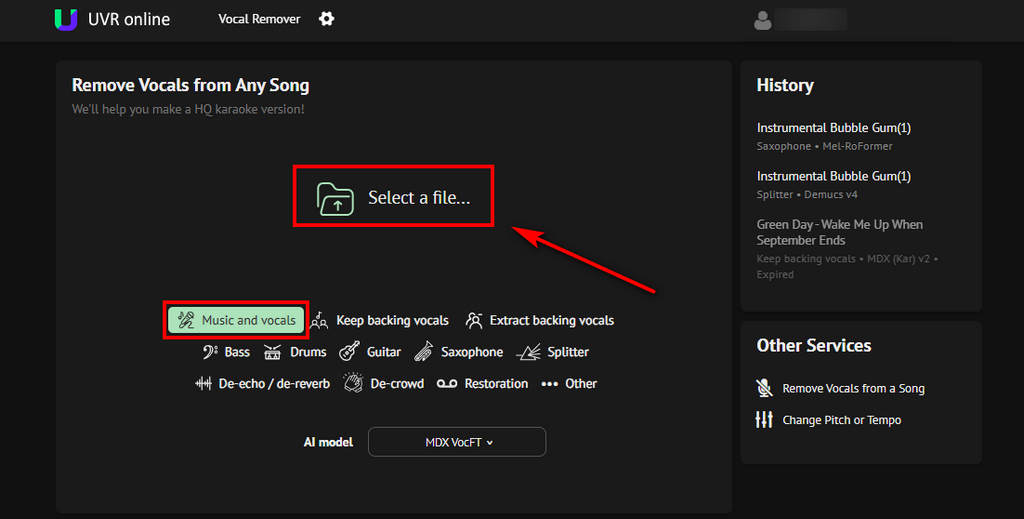
- Visit X-Minus Pro Vocal Remover. The page will default to the Music and vocals option. Then click Select a file to upload the audio you want to process.
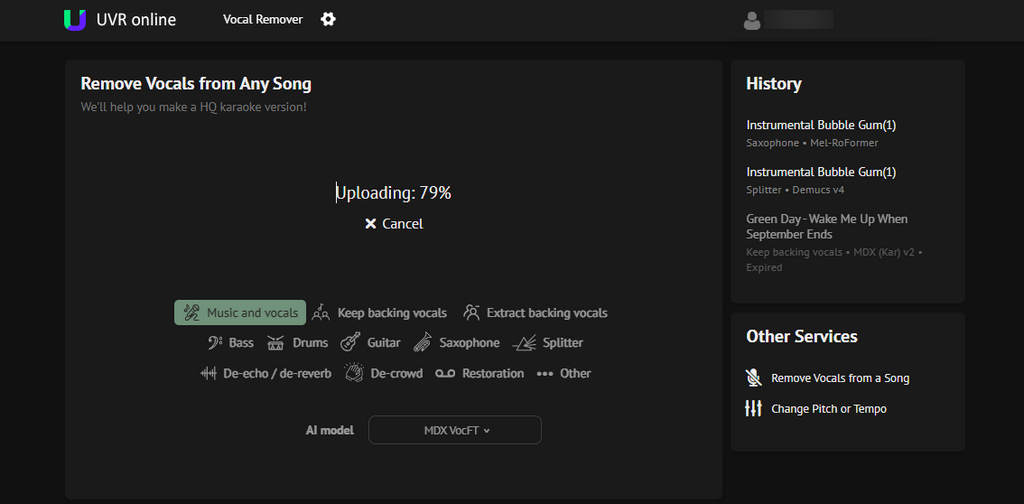
- X Minus Pro will analyze the song and separate vocals from the instrumental track. Processing time depends on song length and plan type.
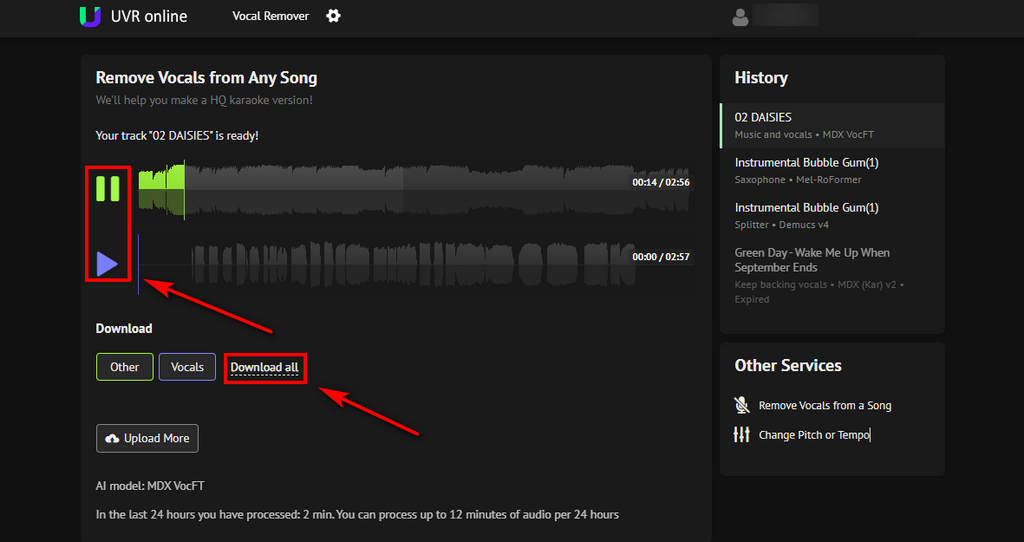
- Preview the separated instrumental and vocals. If you’re satisfied, click the Download all button to save them to your device for further editing or to use in karaoke.
Part 3. Best Alternative to X Minus Pro – Coolo AI Vocal Remover
While X Minus Pro is more suitable for casual karaoke and basic vocal separation, Coolo AI vocal remover offers a more advanced yet easy-to-use solution for both karaoke and professional music production.
With fast AI processing, you can separate audio tracks in seconds without any technical skills. Whether you’re removing vocals for fun, creating karaoke tracks, or extracting high-quality stems for remixing and professional editing, Coolo AI makes the process simple and efficient.
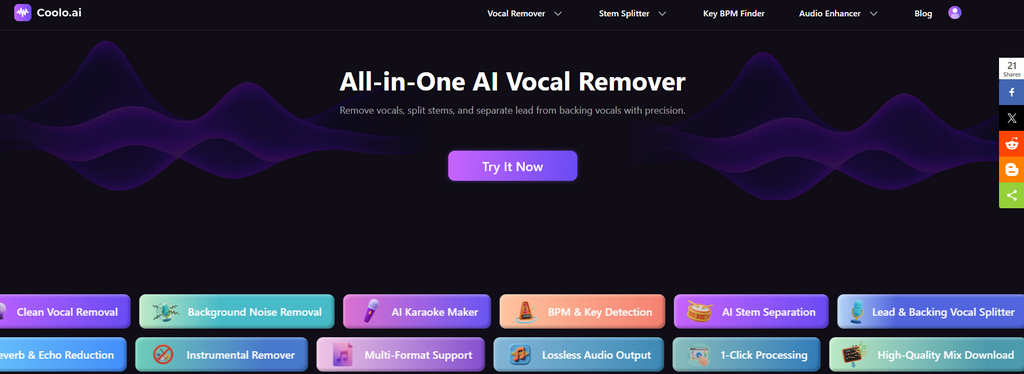
Key Features of Coolo AI Vocal Remover
• Fast AI-powered vocal removal
• High-precision audio separation
• Extract individual instrumental tracks
• Background noise reduction for clearer audio
• Accurately separate lead and backing vocals
• Automatic key and BPM detection for music
• No technical skills required
• Clean & intuitive interface
• Batch download multiple stems at once
• Stable output quality with minimal audio artifacts
How to remove vocals and create instrumental tracks with Coolo AI:
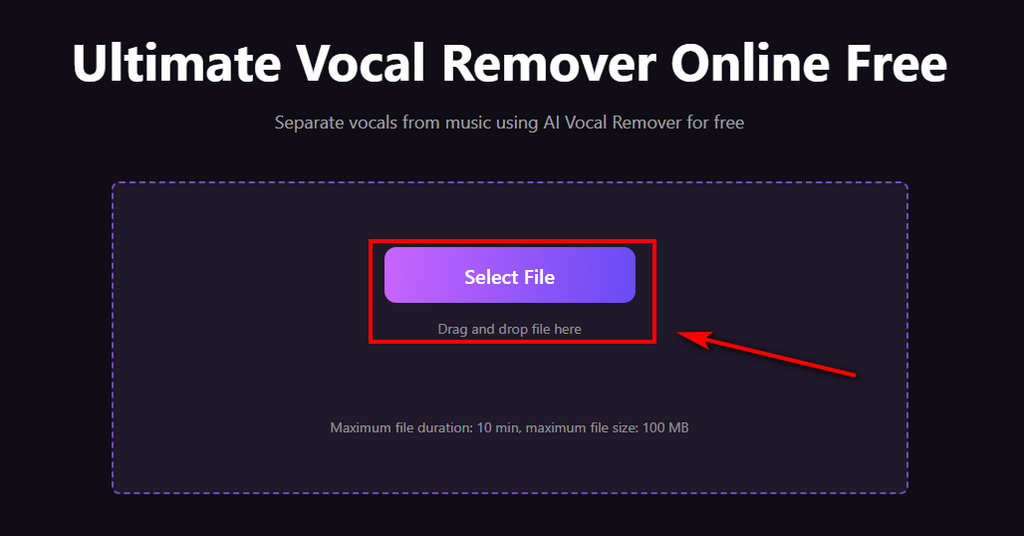
- Click the Select File button to upload your track. Coolo AI vocal remover supports popular audio formats, including MP3, WAV, M4A, and FLAC.
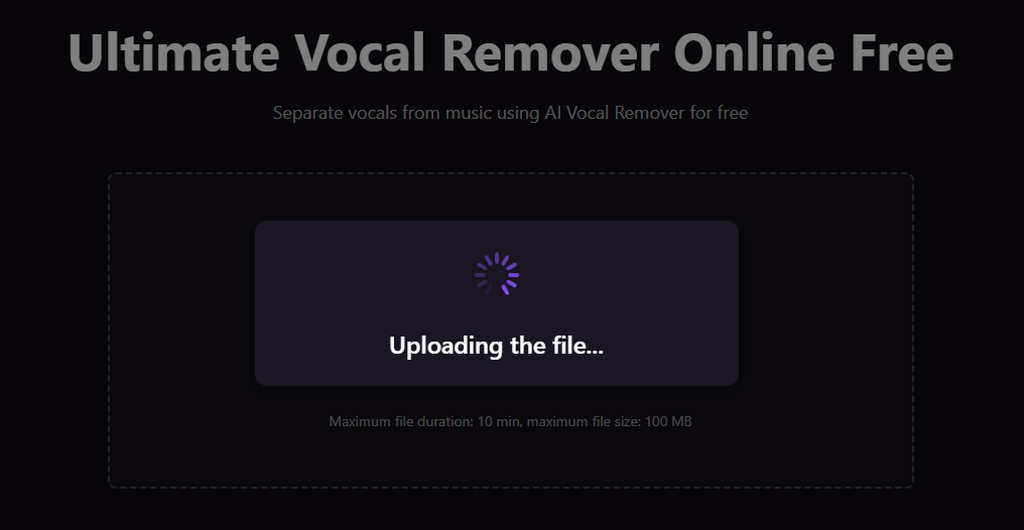
- Our AI automatically detects and isolates the vocals from your audio within seconds, delivering clean and accurate separation.
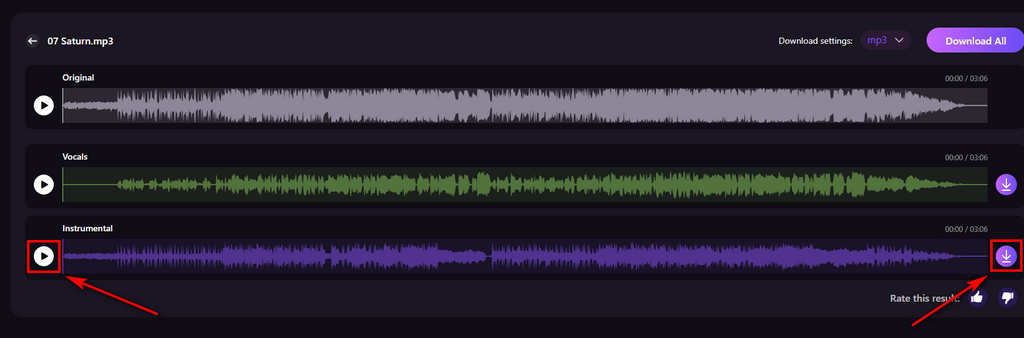
- Once processing is complete, preview the results and download either the isolated vocals or the instrumental track as needed.
Part 4. Compare X Minus Pro and Coolo AI: Features & Performance
Although both platforms offer vocal removal, they differ significantly in terms of features, flexibility, and overall performance. The table below presents a detailed feature-by-feature overview.
| Feature | Coolo AI | X Minus Pro |
|---|---|---|
| Max File Size per Upload | Up to 100 MB | Up to 70 MB |
| Max Length per Upload | 10 min per file | 8 min per file |
| Music Analysis Speed | Advanced | Advanced |
| Advanced Stem Separation | Advanced | Basic |
| User-Friendly | Advanced | Basic |
| Audio Quality | Excellent | Basic |
| Polished Interface | Excellent | Basic |
| Workflow Efficiency | Excellent | Excellent |
| Sample Rate Settings | Excellent | Basic |
Key differences explained:
X Minus Pro is optimized for karaoke lovers who want quick access to backing tracks or simple vocal removal.
Coolo AI is built for creators who need fast, flexible, high-quality separation, and control over individual instruments.
Final Verdict
X Minus Pro remains a solid choice for casual users and karaoke enthusiasts who want a simple, browser-based vocal remover with minimal setup. Its accompaniment library and pitch adjustment features make it convenient for everyday use.
However, if you’re looking for more than just basic vocal removal, Coolo AI is worth considering. It supports multi-track separation and content-ready audio stems. For creators who want full control over their sound, this online AI audio separator delivers the flexibility and performance that basic online vocal removers simply can’t match.
Coolo AI Online Vocal Remover
100% vocal and instrumental isolation
FAQs
1. Is X Minus Pro vocal remover free to use?
X Minus Pro offers up to 12 minutes of free song conversion within a 24-hour period, but most advanced functions require a paid subscription. The pricing varies depending on the features and usage level.
2. Can I use X Minus Pro vocal remover online?
Yes, X Minus Pro is a web-based tool. You can upload your audio file, and the ultimateonline vocal remover will process it within minutes. It’s simple and beginner-friendly.
3. Does X Minus support adjusting the sample rate?
No. You can try Coolo AI to separate vocals and download clean instrumentals in high quality. It supports output up to 48kHz, and all separated stems are fully DAW-ready. This provides greater convenience for your music workflow.
4. Which tool provides better vocal removal quality?
Both tools offer vocal removal, but Coolo AI generally delivers cleaner separation and more accurate results thanks to its advanced AI processing technology.
5. Is X Minus suitable for beginners?
Absolutely. X Minus is designed with a simple and intuitive interface, allowing beginners to separate tracks quickly without technical knowledge.