Speech
Speech covers spoken content in audio and video, such as conversations, narration, interviews, and voiceovers. Isolating speech allows you to preserve dialogue while reducing background music and sound effects.
Separate speech, music, and sound effects from mixed audio for film, podcast, and media production.
Drag and drop file here
Supported formats: MP3, WAV, MP4, MOV, etc.
Maximum file duration: 60 min, maximum file size: 1000 MB
Separation Mode
Preview separate speech, music, and SFX stems.
Original audio
Speech
Music
SFX
Speech covers spoken content in audio and video, such as conversations, narration, interviews, and voiceovers. Isolating speech allows you to preserve dialogue while reducing background music and sound effects.
Music includes instrumental arrangements, melodies, and background tracks in audio and video recordings. Separating music makes it easier to adjust or remove the soundtrack while keeping spoken dialogue and sound effects separate.
Sound effects (SFX) include sounds such as footsteps, explosions, impacts, engine noise, ambient sounds, and Foley used in films, videos, and games. Isolating SFX lets you edit or remove these audio elements separately from speech and music.
Upload Your MP3, WAV, FLAC, or M4A file containing speech, music, sound effects, or a combination of these elements.
Start the separation process after uploading your file. Coolo Pro uses AI-powered audio separation to split the audio into three individual stems: Speech, Music, and SFX.
Listen to the separated tracks, adjust their volume, or solo and mute individual stems. Download the Speech, Music, and SFX tracks for further editing, dubbing, or post-production.
Listen to each separated track in the built-in player. Solo or mute stems and fine-tune their volume, then export Speech, Music, and SFX in MP3 or WAV format.
Upload audio files in MP3, WAV, FLAC, or M4A format, or video files in MP4 or MOV format. Files can be up to 60 minutes long or 1000 MB in size, making it easier to separate speech, music, and sound effects from longer recordings.
Use isolated stems for dialogue editing, dubbing, localization, sound design, and music-and-effects (M&E) production. Work with individual audio elements without having to edit the entire mix.
Coolo Pro separates speech, music, and sound effects from mixed recordings, making it easier to clean up dialogue, refine audio tracks, and prepare content for post-production.

Make voices easier to hear in interviews, podcasts, and videos. Isolate speech from background music and sound effects, then remove unwanted audio layers for clearer dialogue.

Separate speech, music, and SFX to gain more control over a video's soundtrack. Adjust individual elements for trailers, social media videos, and other creative projects.

Separate dialogue from music and sound effects to prepare content for dubbing, voiceovers, and multilingual versions. Retain the audio elements needed for a more seamless replacement of spoken dialogue.
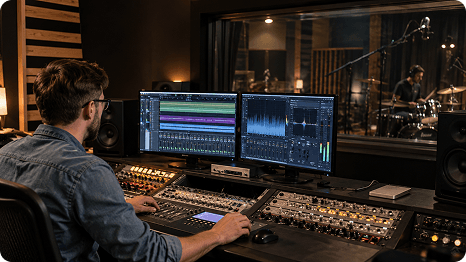
Extract sound effects such as footsteps, impacts, and ambient noise into a separate track. Use isolated SFX for sound design or remove unwanted effects while preserving speech and music.

Coolo Pro gives me more control over individual instruments when preparing arrangements. I can isolate specific parts from a full mix and experiment with new ideas without starting from scratch.
I needed a way to separate dialogue from background music and sound effects for my video projects. This tool makes it easier to work with each audio layer separately and saves me time during editing.
Some interviews have music or ambient sounds that are difficult to work around. Being able to isolate speech, music, and SFX gives me more flexibility when cleaning up podcast audio.
I often work on dubbing and voiceover projects where dialogue needs to be separated from the original soundtrack. Having individual stems makes the audio easier to prepare for different language versions.
Separating effects from speech and music is useful when building soundscapes for videos and games. I can focus on specific sounds, such as impacts and ambience, without working on the entire mix.
I edit short videos regularly, and managing background audio can take longer than expected. This tool gives me separate tracks to work with, making it easier to adjust the sound for different types of content.
I sometimes need to extract sound effects or reduce unwanted audio elements from mixed recordings. The separate stems give me more control over the material I use in my production workflow.
Upload your audio to our speech music SFX remover and start the separation process. Once it's finished, preview the Speech, Music, and SFX stems and download the tracks you need.
Vocal Remover separates vocals from instrumental tracks in songs, while Speech Music SFX Remover handles mixed audio containing spoken dialogue, music, and sound effects. It's better suited to tasks such as dialogue editing and video post-production.
Yes. It can separate speech, music, and sound effects in many podcast and interview recordings, including those with background music or incidental sounds. Recordings with heavy noise or compression may require additional cleanup.
Use the speech music SFX remover to separate the recording into Speech, Music, and SFX stems. Then mute or remove the Music stem to reduce background music while retaining the dialogue track.
Yes. Coolo AI speech music SFX Remover separates dialogue from background music and sound effects, helping you keep speech clear while reducing unwanted audio layers. Results may vary depending on the original recording and how much the audio elements overlap.