
How to Enhance Audio with AI (4 Fast Ways)
Martina Lee | Updated on 2026-08-19
If you’ve ever recorded a podcast, video, or voiceover, you’ve probably faced issues like background noise, echo, or low clarity. Knowing how to enhance audio can significantly improve how your content sounds and feels to listeners.
Audio enhancement refers to the process of improving sound quality by reducing noise, balancing volume, and making speech clearer. Traditionally, this required complex editing skills.Today, modern AI tools allow anyone to enhance audio in just a few clicks.
In this guide, we’ll explore how to enhance audio using four popular AI tools. Each tool offers a slightly different approach, so you can choose the one that best fits your workflow.
Contents
Part 1. What Is Audio Enhancer?
When we talk about how to enhance audio, it usually refers to improving the clarity and balance of a recording without altering its original content.
Instead of changing the audio itself, enhancement focuses on refining elements such as tone, dynamics, and overall consistency. This can include reducing noise, balancing frequencies, and smoothing volume levels, so the main voice or sound stands out more naturally.
Part 2. What Difference Does Audio Enhancement Make?
The difference after enhancing audio is often subtle but important. Unprocessed audio may sound unclear, uneven, or slightly distracting, which can affect how easily people follow the content.
After enhancement, the same audio typically feels clearer, more balanced, and more comfortable to listen to. Voices become easier to understand, and background noise is less noticeable. While it may not turn every recording into studio-quality sound, it can significantly improve the overall listening experience, especially in podcasts, vlogs, and speech recordings.
Part 3. How to Enhance Audio with AI Tools?
Coolo AI Audio Enhancer
Coolo AI audio enhancer is designed as an all-in-one solution that not only improves sound quality but also supports advanced audio processing. In addition to enhancing clarity and reducing noise, it allows users to go further with features like vocal removal and multi-stem separation. This makes it especially useful for podcasts and voice recordings created in non-ideal environments.
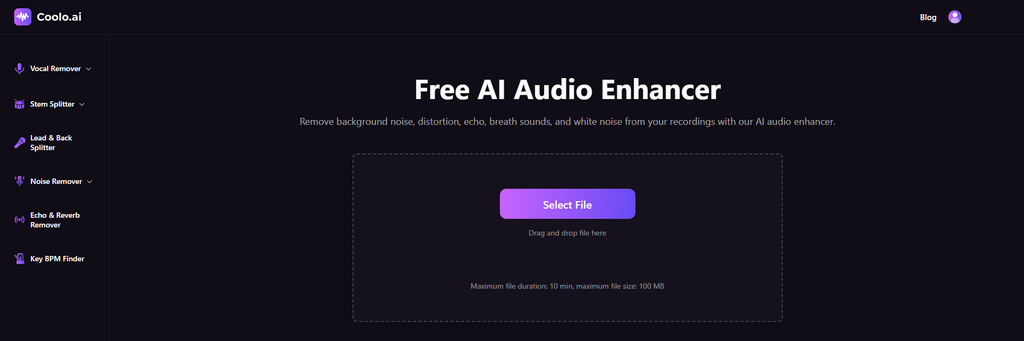
Coolo AI Audio Enhancer
Remove background noise and improve audio quality.
How to enhance audio with Coolo AI?
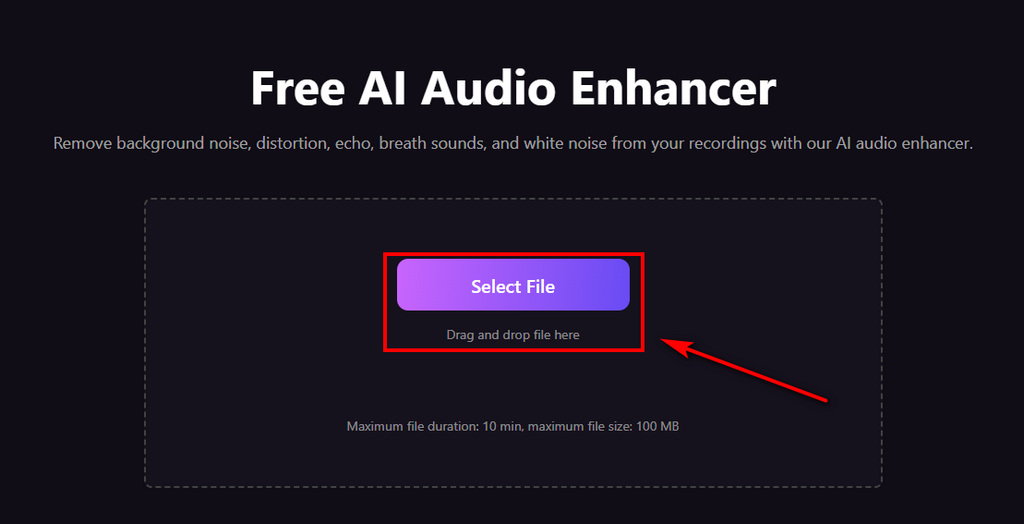
- Click the Select File button to choose your audio. You can also drag and drop your audio here.
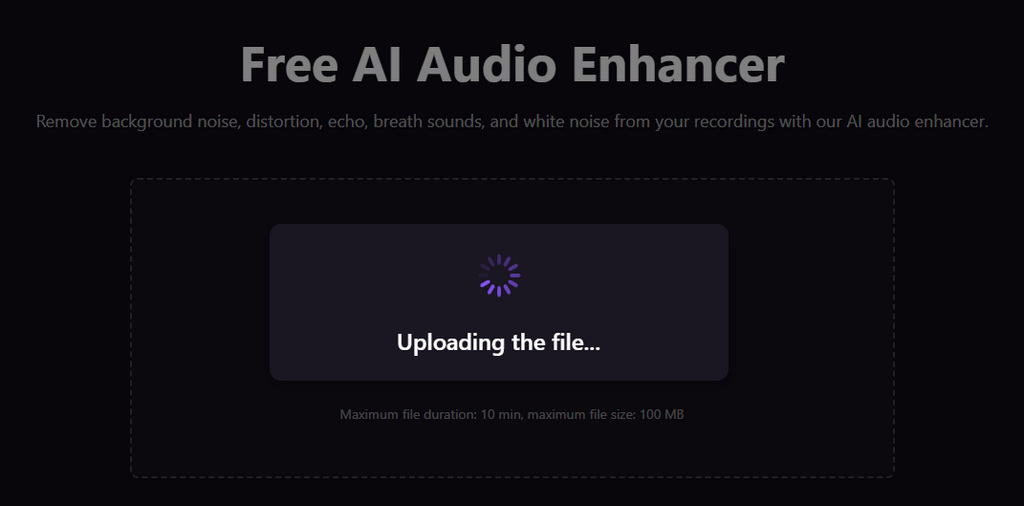
- Let the AI system process and enhance the audio automatically.
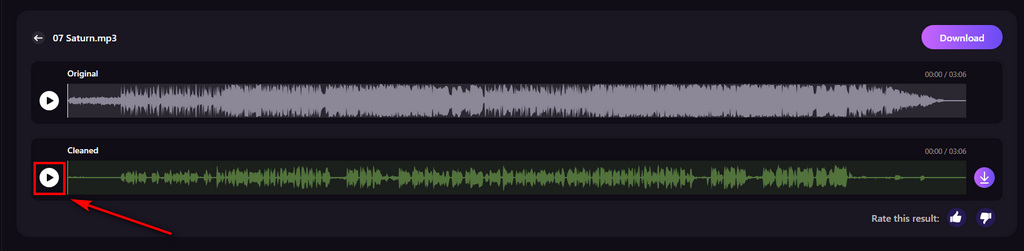
- Preview and download your enhanced audio with ease. The audio will be ready to use for editing, sharing, or publishing.
Adobe Podcast
Adobe Podcast is designed specifically for speech enhancement, making recordings sound closer to studio quality. It works especially well for podcasts, interviews, and voiceovers by improving vocal clarity and reducing background noise. However, it is less suitable for tasks like music separation or more detailed audio editing.
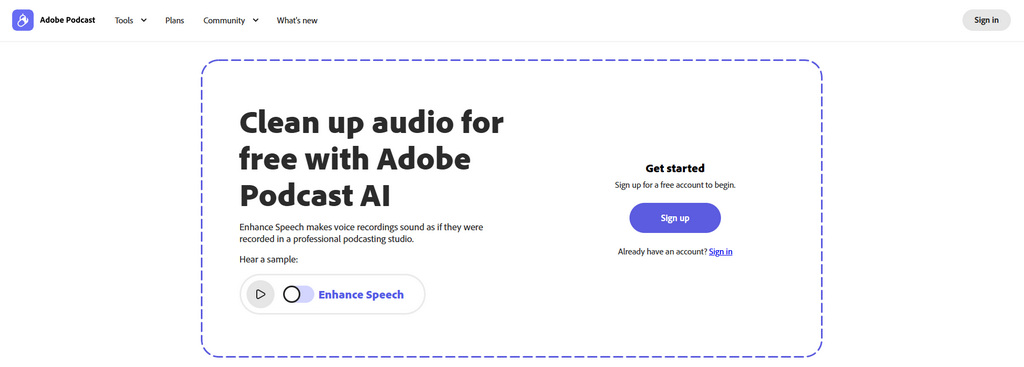
How to remove noise and enhance podcast recording?
- Click “Sign up” on the page to create your account
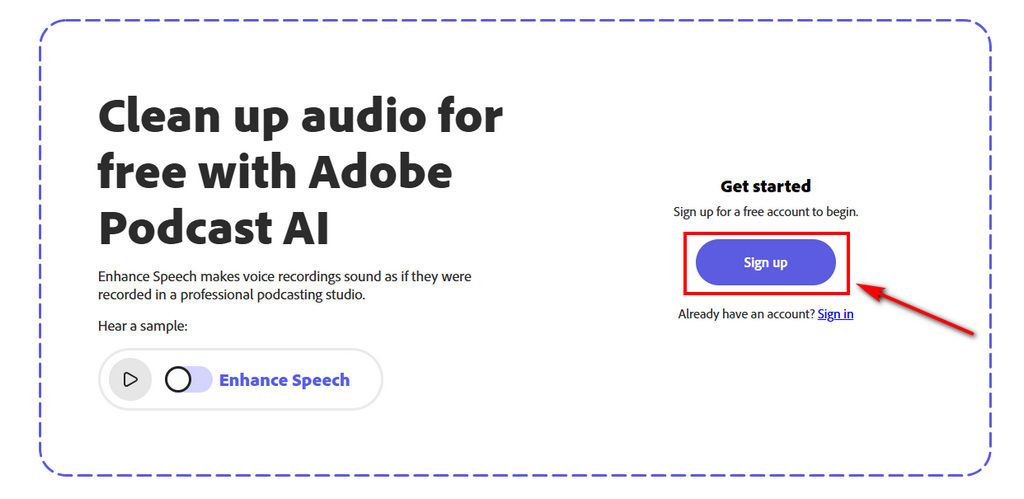
- Click “Choose File” to upload your audio. You can select an audio or video file from your device to process.
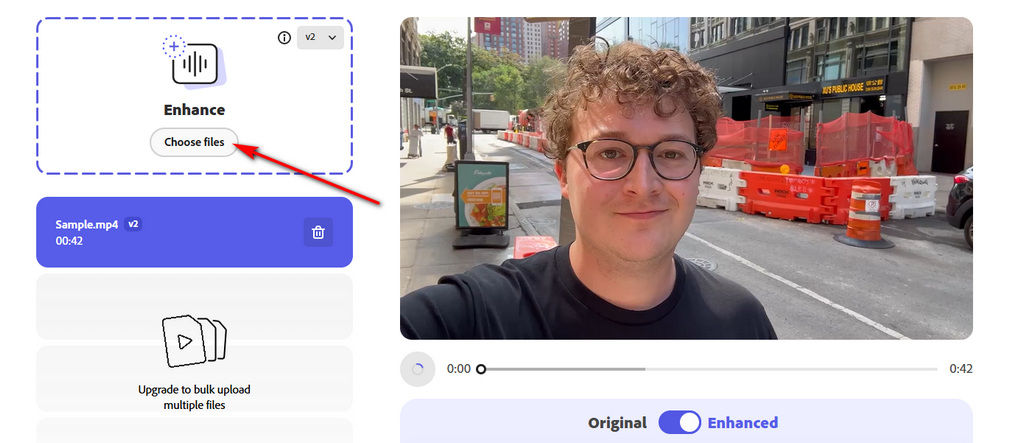
- Wait for the AI to process your audio, then preview and download the enhanced file for further editing
Auphonic
Auphonic is a powerful audio tool designed for content creators and podcasters who need consistent results, especially for longer recordings. In addition to audio files, it can also process audio from video files, making it useful for maintaining balanced volume across different types of content.
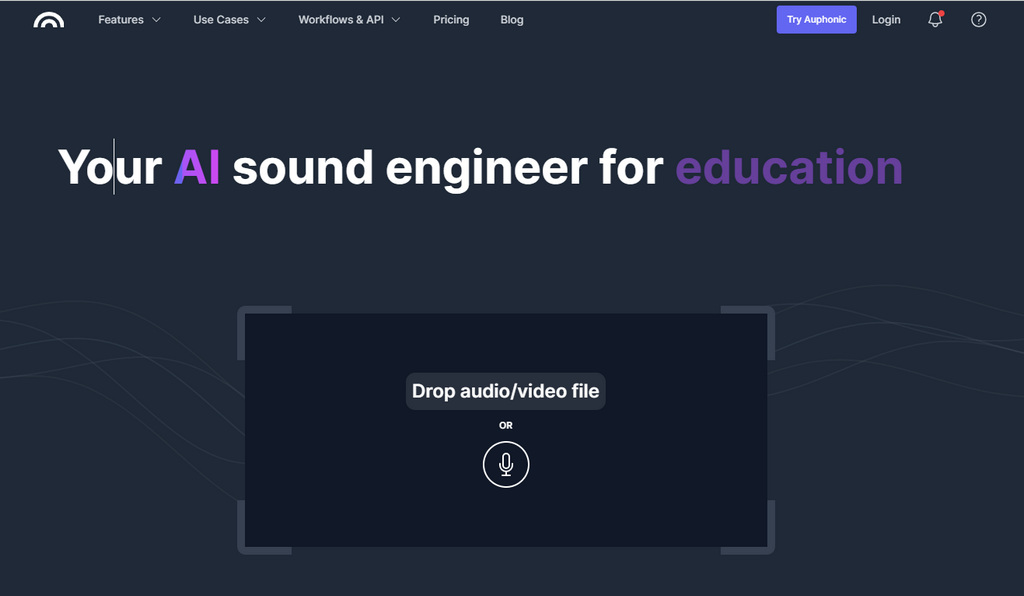
How to enhance audio in a video with Auphonic?
- Upload your audio or video file. You can also record audio directly and upload it.
- Choose a processing option such as Voice Cleaner, then click Start Processing.
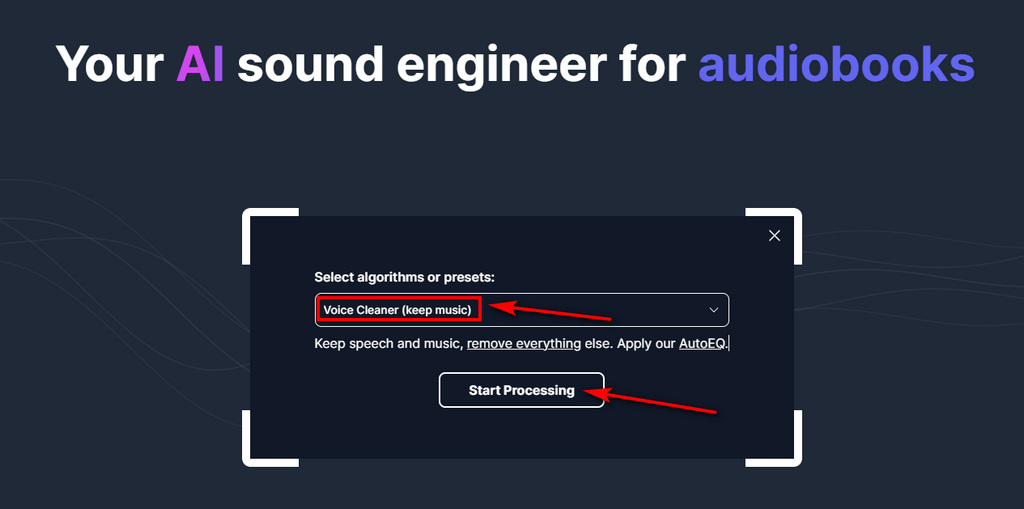
- Sign up for an account to generate the final result. Once processing is complete, download the file to your device.
Canva
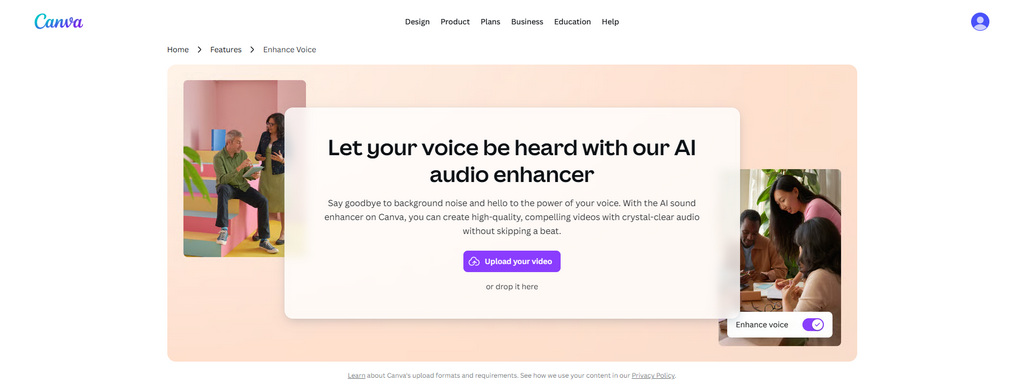
Canva helps create cleaner and more balanced sound. In addition to audio enhancement, it also supports basic video editing features such as recording, trimming, and adding text, making it suitable for social media and presentation content.
How to enhance audio on video with Canva?
- Upload or drag your video clips.
- Click the Volume icon in the toolbar, then toggle the Enhance Voice option to improve vocal clarity and reduce background noise.
- Once you're satisfied with the result, download your video in MP4 format. You can share it on social media, or present it directly from the editor.
Part 4. When Should You Enhance Audio? (Common Use Cases)
Understanding how to enhance audio often depends on the context in which the recording is used. In podcasts and interviews, background noise or uneven volume can make voices harder to follow, so enhancement helps keep speech clear and consistent.
In online courses and video content, clear audio is essential for maintaining attention and making the message easy to understand. Even in recorded meetings, improving audio can make playback smoother and less tiring to listen to.
In most cases, the goal is not to make the audio perfect, but to make it clear, balanced, and comfortable for the listener.
Conclusion: How to Enhance Audio the Right Way
Learning how to enhance audio no longer requires professional editing skills. With AI-powered tools like Coolo, you can quickly clean up recordings and improve clarity without complex setup.
Beyond basic enhancement, Coolo also supports advanced features such as vocal isolation and stem separation, giving you more control over your audio. Ultimately, enhance audio effectively comes down to choosing a tool that fits your workflow and delivers clear, balanced results with minimal effort.
Coolo AI Audio Enhancer
Remove background noise and improve audio quality.
FAQs
1. Can AI enhance audio quality?
Yes, AI can significantly enhance audio clarity by automatically reducing background noise, balancing volume, and emphasizing speech or main sounds. While it cannot completely fix extremely poor recordings, it works well for most everyday content such as speech, podcasts, videos, and voiceovers.
2. How to enhance audio without losing quality?
- Step 1. Upload your audio file to the AI enhancer.
- Step 2. The system analyzes your audio and automatically reduces noise.
- Step 3. Preview the enhanced audio and download it instantly.
3. What is the best tool to enhance audio for podcasts?
Coolo AI audio enhancer is one of the best tools. It is well-suited for removing noise and improving audio with AI, with no installation or sign-up required.
4. Can I enhance audio for free?
Yes. You can enjoy free and fast audio enhancement in Coolo AI. Simply upload your audio, and the AI will automatically improve it.
5. What types of audio can be enhanced?
Most audio types, including podcasts, voice recordings, videos, and interviews, can be enhanced. AI audio enhancer help remove noise and improve clarity, making audio cleaner and easier to understand.